Hello again, we are into the 3rd week and I spent the last week working to finish the inventory and we are almost there. So, the inventory has four states depending upon how long the inventory item has been clicked for and where on the screen the click is recorded. In simpler terms-
- If the user click outside the inventory, the inventory is to be closed and objects wiped out until we click the inventory again.
- If we click on the item, check for how long we clicked and if it crosses a threshold, set it for drag(which we’ll later use to check for dragging). But there was a challenge while I implemented this. _mouseB is a variable that stores the mouse state and we use it to check if there was a mouse input or not. But the problem was, _mouseB is being reset in the mouseEngine() function that caused the timer to increment on each click rather than incrementing on hold. So, to fix this, I decided to query the mouse state from the EventManager directly.
- When we make a quick click on the item, it runs an examine script and throw a text description of that particular item on the middle of the screen.
- The final part is dragging the object to use it. For eg, to open the fire exit, we drag the bar to the door. I am currently working on it’s implementation.
And, if you remember from the first blog, we had converted the engine to 32-bit and we talked about the main game screen that was an 8-bit buffer and we merged them together before the screen output. The control panel has a separate screen and naturally, it was also an 8-bit screen. When the menu was built in an 8 bit buffer but passed directly to a 32 bit renderer, we got this-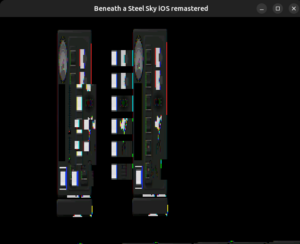 So naturally, just like with the main game screen, we let the menu to build its 8 bit layout but merge it before rendering.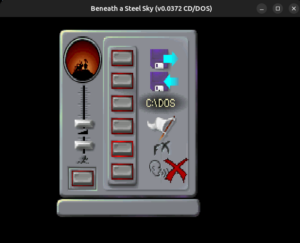
Currently, I am working on the dragging part of the inventory items which I will brief about in the next blog.
Thanks for reading 🙂