Categories
GSoC 2026

GSoC 2026: Final Report

Finishing Implementation of Incomplete Engines

Organization: ScummVM
Contributor name: Mohit Bankar
Coding period: 25 May 2026 – 17 August 2026


Over the course of this summer, I worked on stabilizing and modernizing two legacy ScummVM engines — Dungeon Master and Avalanche. In this blog, I will summarize everything that was accomplished across both engines.

Fixes in DM engine

Blogs:  1  2  3  4  5  6

PRs:

#7541 Fix crashes and Implement missing UI features

#7556 DM: Resolve PVS-Studio Warnings

#7592 Fix crashes

#7594 Replaced raw byte-buffer casting with strongly-typed C++ structure arrays

#7637 Bug fixes and Adding support for Extended Saves

#7693 Fixing Issues flagged by Coverity Scan

For the first six weeks, I focused on fixing the Dungeon Master engine — tackling crashes, freezes, and lots of bugs, all covered in detail in the blogs for those respective weeks. By the end of week 6, the DM engine was fully stabilized for the Amiga version and the game was completable from start to finish.

Adding support for the DOS version of Dungeon Master

Blogs:  7  8  9  10  11  DM-DOS

PR:  #7777

For the next five weeks, I worked on adding support for the DOS version of Dungeon Master. By the end of week 11, the DOS version was fully supported and the game could be played through completely.

Fixes in Avalanche engine

Blogs:  12  Avalanche

PR:  #7837

For the final week, I worked on the Avalanche engine — fixing bugs and implementing missing features, including main menu options, in-game cutscenes, and various other improvements.

Pre-GSoC Contributions

Before the coding period, I made a few contributions to ScummVM.

PRs:

#7297 Fix Broken Pathfinding in QD engine

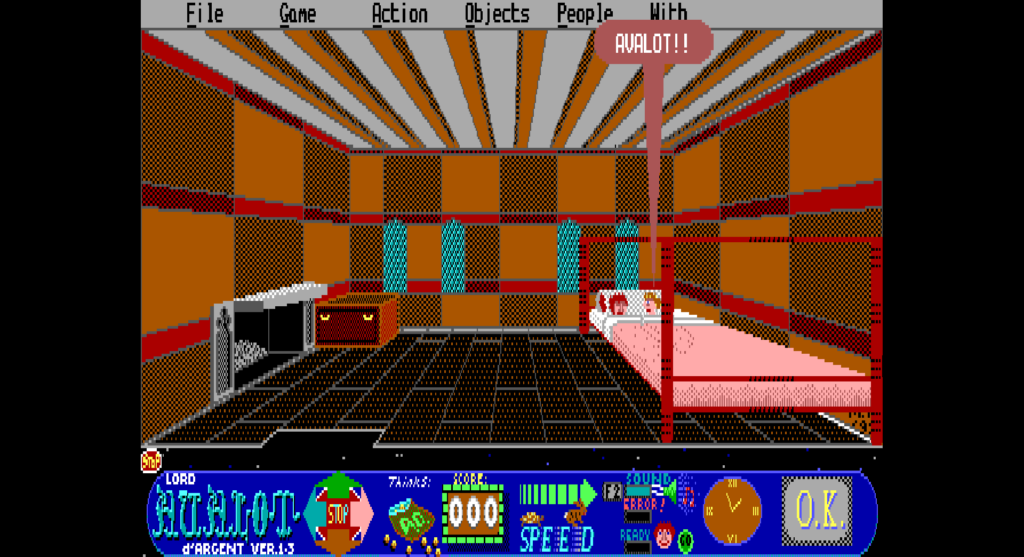
#7349 Implement missing Intro animation in Lord Avalot d’Argent (Avalanche engine)

#7413 Add scroll & drag functionality in About dialog

#7432 Add fluid scrolling capability to ScummVM and Implement fluid scrolling in About Dialog

#7450 Implement fluid scrolling in List, Grid, Richtext & Scroll Container widgets

#7527 Fix bugs introduced by FluidScroll

#7284 Fix lag and Implement Anti-aliasing in Rich Text widget

#7165  #7096  #7181  #7207  #7216  #7220  #7223 Implement multi-selection and multi-removal in Launcher List and Icon views

Where Things Stand

Both the DM and Avalanche engines are now in a more stable state, free from crashes and bugs, with the DM engine additionally supporting the DOS version.

Closing Thoughts

That wraps up my GSoC 2026 journey. It’s been a great experience and I learned a lot along the way!
Thanks to my mentors, Sev and Strangerke, for their guidance, reviews, and patience throughout the project. And of course, thanks to the ScummVM community for the support and to Google for hosting this amazing program.

Signing off,
Mohit Bankar

Categories
DM engine

Dungeon Master: The DOS Version

Hi everyone, welcome back. This blog covers the code changes made to the DM engine to add support for the DOS version. The previous changes were covered up to this blog. And, I apologize for the lack of screenshots this time — I was implementing and fixing so many things simultaneously that I forgot to capture before/after comparisons, so there won’t be as many visuals as usual.

Right-Side Wall & Door Frame Graphics

In the dungeon view, door frames and side walls on the right side of the hallway rendered distorted or clipped, because horizontal pixel flipping routines were calculating sizes using Amiga graphic indices instead of DOS ones.

Updated loadWallSet() to map platform-aware graphic database indices (k86_FirstWallSetDOS starting at index 86 for DOS, compared to index 77 for Amiga). This ensures copyBitmapAndFlipHorizontal() fetches the exact pixel width and height of DOS left-side wall assets when creating their mirrored right-side counterparts.

Garbled Item Names in Status

Examining or picking up weapons, potions, and dungeon items displayed garbled text in the status message area.

On Amiga, item name strings in the data file were terminated using High-Bit encoding (where the last character had its 7th bit set, e.g. char | 0x80). In the DOS version, string entries were updated to standard null-terminated strings ('\0'). Updated loadObjectNames() to check for kPlatformDOS and read characters until encountering \0, restoring clean item names in the UI log.

Corrupted Wall & Door Frames

Drawing dungeon wall panels and door frames resulted in torn graphics or crashes during rendering transitions.

The pixel-copying routine blitToBitmap() calculated memory offsets using fixed Amiga buffer strides (srcByteWidth * 2). Because DOS standalone graphics have different widths and heights, calculating offsets using Amiga strides led to reading pixels from incorrect memory addresses. Added getBitmapDimensions() to dynamically look up the true pixel dimensions for each DOS wall and door buffer (_bitmapWallSetD3LCR_bitmapWallSetDoorFrameFront, etc.), ensuring accurate pixel placement and preventing out-of-bounds reads.

Loading into dungeon levels still caused heap memory corruption crashes. While the previous fixes ensured pixel coordinates were calculated correctly, the memory buffers holding those flipped wall images were still allocated using hardcoded Amiga dimensions.

On Amiga, memory for flipped wall surfaces was allocated using fixed array sizes (like 128 * 51 for D3 walls or 144 * 71 for D2 walls). Because DOS standalone wall graphics are larger and have different pixel dimensions, flipping them into Amiga-sized buffers wrote pixels past the end of the allocated memory array.

Updated allocateFlippedWallBitmaps() to use getPixelWidth(index) * getPixelHeight(index) for all such buffer allocations, dynamically sizing the DOS wall buffers and preventing memory overflows.

Missing Fonts and Corrupted Graphics

Text in the UI (spell names, character stats, dialogs) was completely invisible or rendered as garbage pixels, and higher-level graphics assets failed to load.

The original unpacking loop stopped at index 532 (the Amiga limit). Updated unpackGraphics() to dynamically unpack up to index 670 for DOS, ensuring all extended DOS graphics assets are decompressed into memory.

Mapping DOS Graphic Database Indices Across the Engine

Monsters, spells, items, wall ornaments, doors, and explosions all rendered as wrong or glitched.  In the DOS version, graphic asset positions inside the graphic file were shifted significantly compared to Amiga.

Upgraded the previous getFontIndex() helper into a universal getGraphicIndex(index) method in DisplayMan to dynamically map all core game graphic offsets for DOS vs Amiga.

Adding Sound

Added soundsDOS table in SoundMan::initConstants(). On DOS, raw sound samples start at graphic index 671 (k671_MetallicThud) up to 712 (k712_MoveSkeleton), compared to indices 533–574 on Amiga.

Solving the Wall Atlas Problem

On Amiga, left, center, and right walls for a given distance were stitched into a single wide atlas image (D3LCR). On DOS, however, left and right walls became standalone, tightly cropped images (D3LD3RD2LD2RD1LD1R). Because the engine was trying to crop side walls out of the center-only DOS atlas, side walls appeared corrupted, torn, or completely blank.
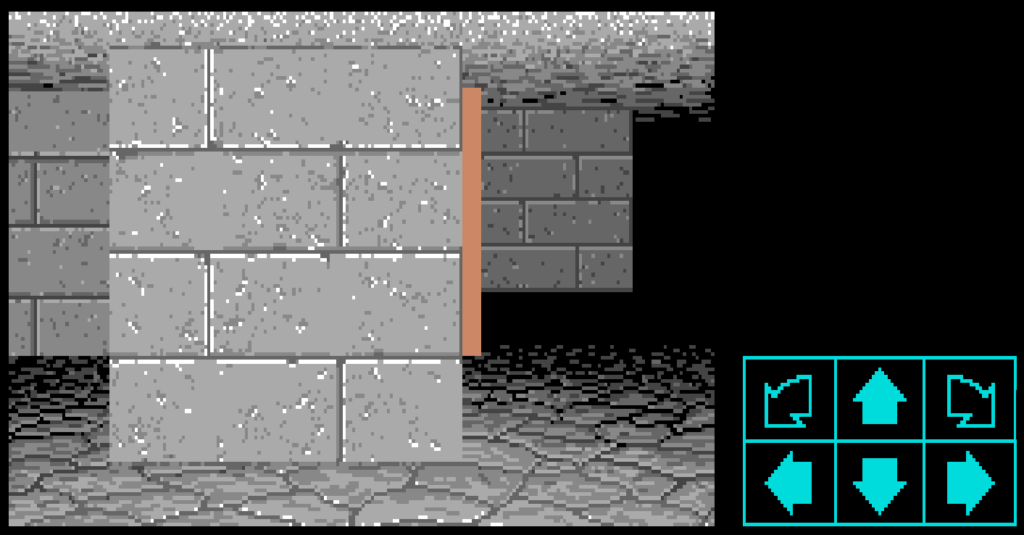
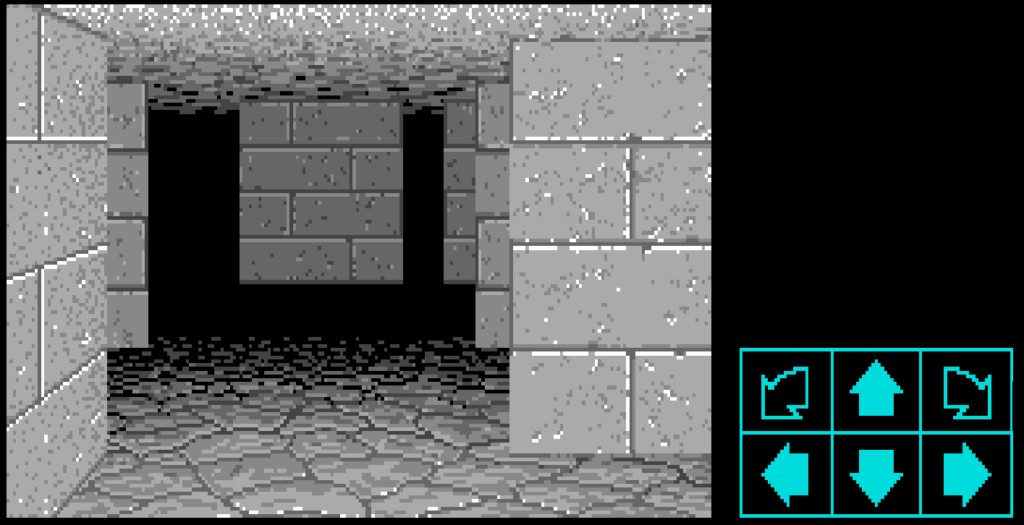
Declared standalone bitmap buffers for DOS side walls: _bitmapWallSetD1L_bitmapWallSetD1R_bitmapWallSetD2L_bitmapWallSetD2R_bitmapWallSetD3L_bitmapWallSetD3R_bitmapWallSetD2L2, and _bitmapWallSetD2R2.

Updated loadWallSet() for kPlatformDOS to load all 40 graphic items per wall set starting at index 86, populating every standalone left and right wall image buffer into memory.

Updated individual wall drawing methods (like drawSquareD3L) to select the new standalone DOS wall bitmap.

Implementing the DOS Layout Tree Engine

The DOS version abandoned fixed coordinate tables for drawing UI zones and dungeon elements, moving to a data-driven hierarchy tree where graphics dynamically calculate positions relative to parent containers.

Implemented the core DOS layout engine (getCoordgetLayoutRecordgetZoneBox) to parse layout records from Graphic 696 and recursively compute dynamic X/Y offsets, width, height, and clipping boundaries for all viewport and UI elements.

Integrating the DOS Layout Engine

Even after loading the correct standalone wall graphics into memory, the dungeon walls on DOS were still completely misplaced, overlapping, or rendering at wrong depths on screen. This happened because the wall drawing routines were still using hardcoded Amiga screen coordinate tables (Frame) instead of calculating dynamic offsets for DOS.
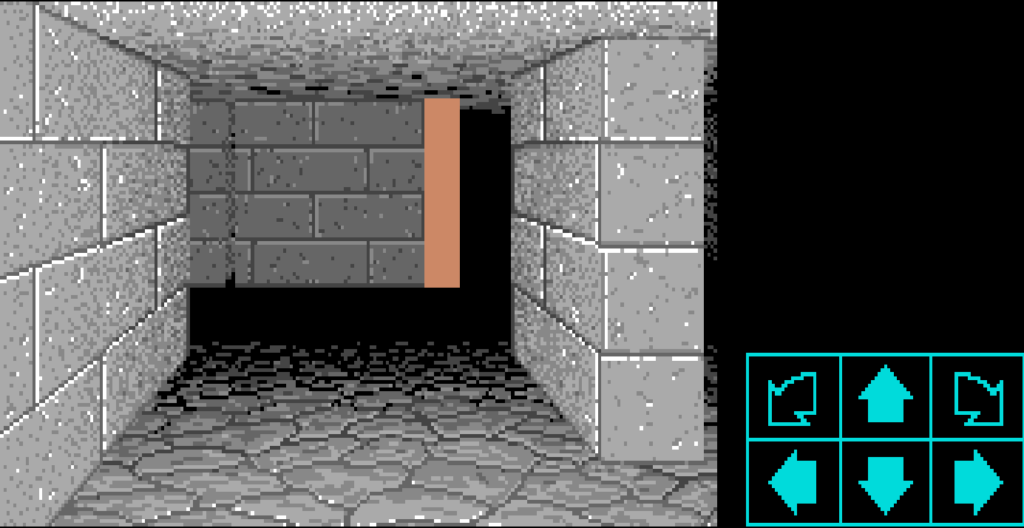
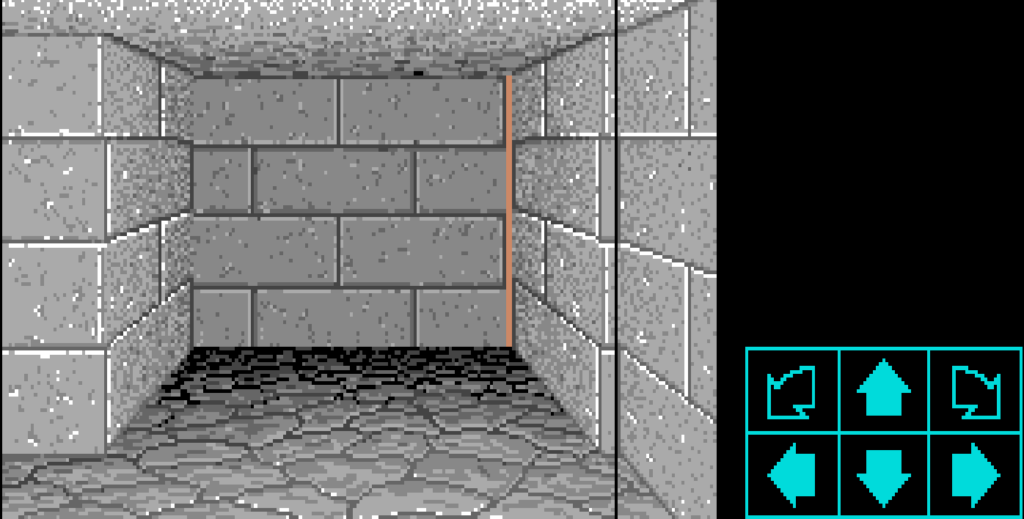
Implemented drawWallSetBitmapDOS() to query the layout engine (getCoord) for each wall zone (kDMZoneWallD3L2 through kDMZoneWallD0R). This dynamically calculates screen coordinates, width, height, and clipping boundaries for every wall.

Integrated drawWallSetBitmapDOS() into all dungeon square drawing routines (drawSquareD3L through drawSquareD0C). This immediately aligned all dungeon walls across all distances (D0 to D4), bringing the DOS 3D dungeon view to life!
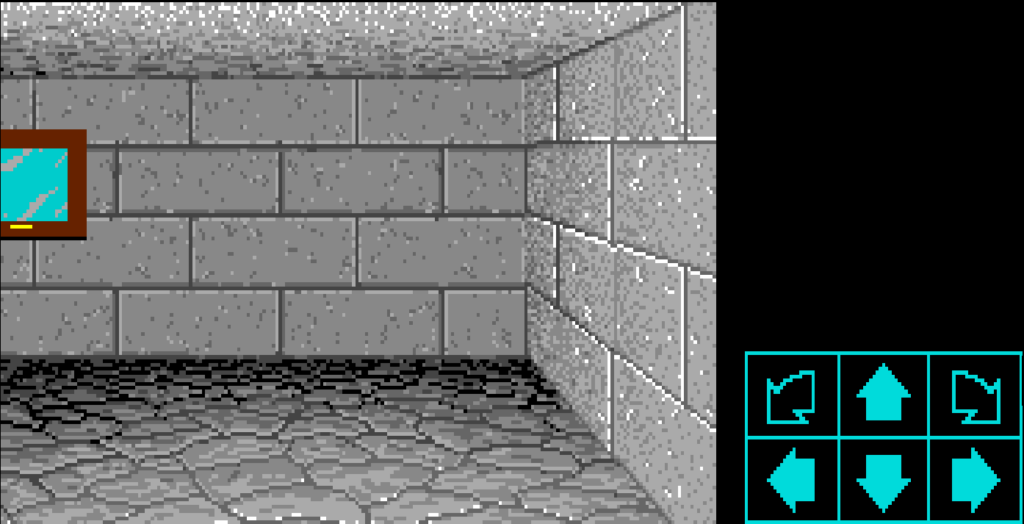
Fixing Spell Casting Panel Positioning & Rune Rendering

Selecting a champion to cast spells displayed the rune symbols and spell panel box misaligned or with black rectangle boxes drawn over the UI background.
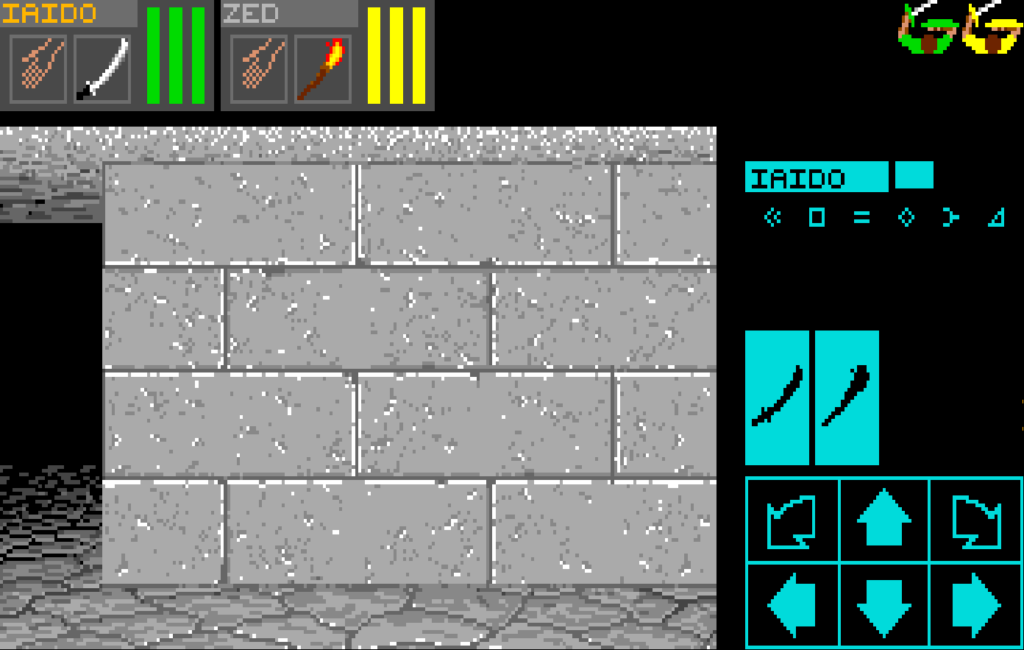
Used the Layout Tree, placing the spell background box at its exact DOS coordinates.

Updated rune symbol rendering in drawAvailableSymbols() and drawChampionSymbols() to pass kDMColorNoTransparency for DOS instead of kDMColorBlack, preventing solid black boxes from obscuring the spell panel texture.

Corruption When Scaling Distant Ornaments (D2/D3)

Wall ornaments (alcoves, keyholes, lever slots, wall rings) and door buttons seen at a distance (Depth D2 and D3) appeared scrambled, stretched, or corrupted.
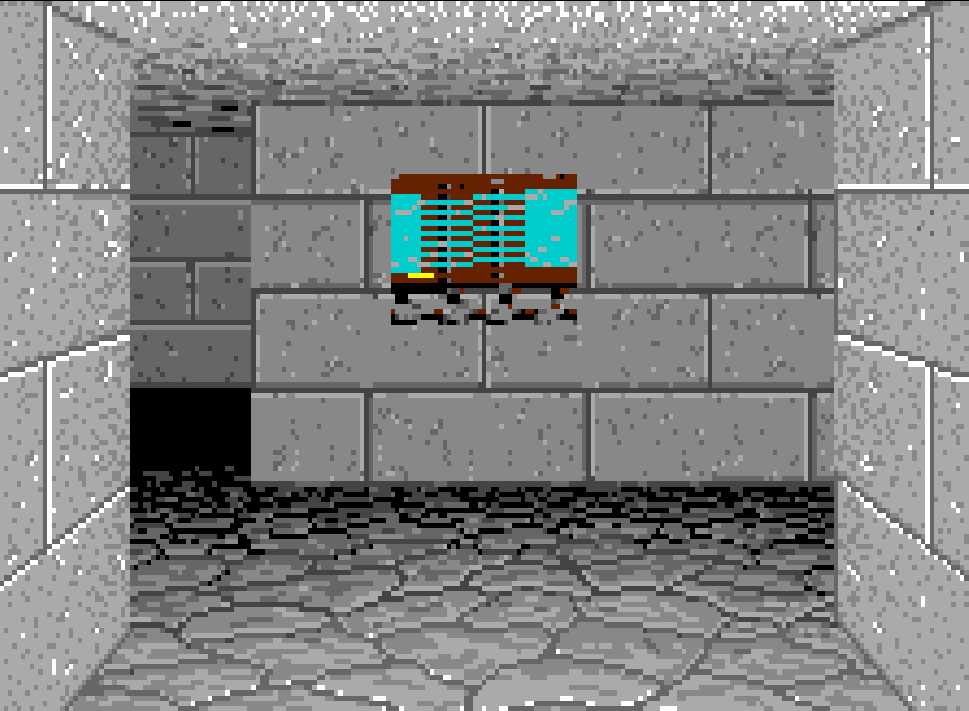
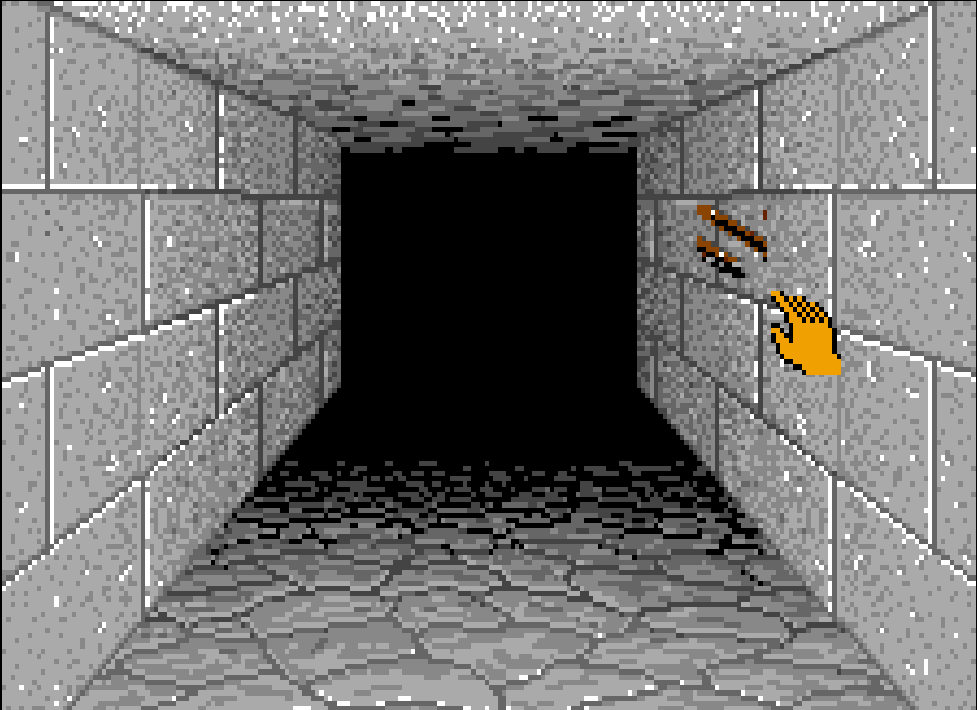
When downscaling distant ornaments and door buttons to fit smaller wall views at depths D2 and D3, blitToBitmapShrinkWithPalChange() was passing source dimensions hardcoded from Amiga coordinate tables (coordSetBlueGoat[4] << 1).

Updated drawDoorButton()drawDoorOrnament(), and isDrawnWallOrnAnAlcove() to look up raw DOS asset dimensions.

Mapping DOS Item Names Resource Index

Despite handling string decoding earlier, item names (like "Torch""Screamer Slice""Torch (out)") were reading from the wrong asset offset in the graphics archive on DOS, displaying unrelated bytes instead of item names.

Updated getGraphicIndex() to map kDMObjectNamesGraphicIndice (556) to 694 for DOS.

Fixing Item & Floor Ornament Corruption on D1 Tiles

Items lying on the floor (swords, keys, chests) or floor ornaments (pressure plates, floor grates) on the square directly in front of the player (D1) rendered as torn graphics.

Updated drawFloorOrnamentdrawFloorPitOrStairsBitmap, and T0115015_DrawProjectileAsObject to look up raw DOS asset dimensions using getPixelWidth() and getPixelHeight() instead of Amiga aspect table offsets.

Alternate Endgame Sequence Not Triggering

Stepping on the floor sensor at Level 0 while holding the completed Firestaff failed to trigger the alternate endgame sequence.

Updated processThingAdditionOrRemoval() sensor version check from <= 20 to <= 21 to match the DOS engine version, allowing entrance sensor triggers to fire correctly.

Updated isObjectInPartyPossession() to treat both raw (kDMIconIndiceWeaponTheFirestaff) and completed (kDMIconIndiceWeaponTheFirestaffComplete) Firestaff states as valid matches, including when stored inside carried chests.


Along with these, there were many other small changes that are self-explanatory in the commits. You can find all the changes made to support the DOS version in this single PR 7777. Since the PR number is a lucky 7777, I hope the DOS version brings good fortune and fewer bug reports 😄

So that was it for the DOS version of the DM engine. With that, ScummVM now supports both the Amiga and DOS versions of Dungeon Master.

Thank you for reading. See you in the next one — the final GSoC blog!
Categories
Avalanche engine

Avalanche: Bugs, Fixes, and Finishing Touches

Hello everyone, welcome back. This is the blog for the code changes in the Avalanche engine.

Crash on Exit

The game crashed on exit because Outro::run() was writing 350-line graphics onto a 320×200 surface. Calling _vm->_graphics->menuRestoreScreen() first restores the 640×350 resolution before drawing, preventing the out-of-bounds crash.

Missing bottom toolbar

The in-game bottom toolbar (compass, action icons, inventory) was missing when starting a new game or loading a save because drawToolbar() was never called during initialization; adding drawToolbar() in newGame() and replacing an incorrect drawDirection() call in loadGame() forces the toolbar graphics to render immediately.

Implementing missing shortcut keys

Implemented Alt+B (fake spreadsheet boss key), Alt+X (quit game), and Alt+D (secret easter egg message “Wrong game!”).

Crashes During NPC Dialogues

setRoom() and getRoom() crashed with out-of-bounds array access when passed invalid character IDs (like kPeoplePardon or kPeopleNone); adding validation bounds checks (persId < kPeopleAvalot || persId > kPeopleWisewoman) prevents array index overflows on _whereIs[] and safely defaults unallocated characters to kRoomNowhere.

Spludwick is always missing from the laboratory

When entering Spludwick’s laboratory at the start of the game, Spludwick was missing, making it impossible to interact with him or progress the potion quest properly.

_spludwickAtHome was initialized to false instead of true, and the original Pascal room count logic checking whether Spludwick was working at home was missing.

Restoring the default true initialization and the original room calculation logic !((_roomCount[kRoomWiseWomans] % 3) == 1))  ensures Spludwick appears reliably in his laboratory.

Crash when typing password guesses

Typing a password guess that was shorter than the actual secret password (e.g. typing a 3-letter word when a 6-letter password was expected) caused the game to crash.

The parser loop compared every character _vocabulary[pwdId]._word[j] against temp[j]. If temp (the player’s typed word) was shorter than j, accessing temp[j] accessed memory past the string’s length. Adding a bounds check ((j < temp.size()) ? temp[j] : '\0') safely fails the password match without crashing.

Implementing the Missing “Golden Slumbers” Cutscene

When Avy hands the lute to Geida in castle Cardiff, the original game displays an animated blue opening-box transition and scrolls the poem lyrics of “Golden Slumbers” across the screen as a lullaby before Baron du Lustie falls asleep.

This cutscene was missing in ScummVM.

Added reusable methods for MOD audio playback

Implemented playMod() and stopMod() in SoundHandler using ScummVM’s Audio::makeProtrackerStream(). It loads the requested .mod file, creates a ProTracker audio stream, and passes it to ScummVM’s mixer (kMusicSoundType) for background music playback.

Implementing the Original Animated Title Screen
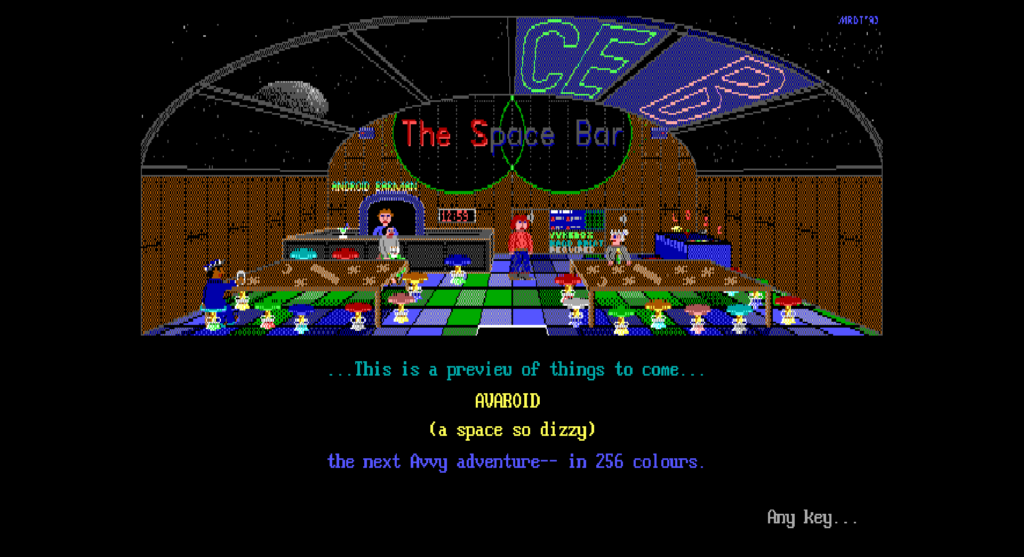
Implementing The Sequel Teaser Preview

Selecting Option 3 (“Preview… perhaps…”) on the main menu was unhooked. Implemented MainMenu::showPreview() to read preview2.avd.

Implementing the Info Document Reader

Selecting Option 4 (‘View the documentation’) or Option 5 (‘Registration info’) on the main menu opens the game’s full text manual (avalot.doc) inside a custom document viewer, matching original DOS viewdocs.pas. To recreate this in ScummVM, I implemented MainMenu::showDoc() to parse and render avalot.doc directly.”


That was it for the Avalanche engine. Next blog will be about the DOS version of Dungeon Master. Till then, goodbye 🙂


Categories
Week 12

Avalanche: End of the Slope

Hi everyone, welcome back! This is the blog for week 12 — and the last one. My GSoC journey comes to an end with this post. This week I implemented the missing features of the Avalanche engine and tackled some bug fixes — and with that, the Avalanche engine is complete! This is a quick post to meet the Tuesday deadline — a detailed blog covering both the DOS version of Dungeon Master and the Avalanche engine is coming tomorrow.

Till then, goodbye and thank you for reading my blogs! 👋

Categories
Week 11

DOS and DONE

Hey everyone, welcome back! This is the blog for week 11.

Finally, the work on Dungeon Master is over and the PR is merged. ScummVM now supports both the Amiga and DOS versions of Dungeon Master, and we will very soon be inviting users for playtesting of the game.

For the Amiga version, I played through the full game, exploring every level and every corner, fixing bugs along the way. For the DOS version, I took a shorter path and tested specific areas that I suspected might be breaking, to save time. Let’s hope it’s as perfect as the Amiga version!

I have now begun work on the Avalanche engine. With exams starting Monday and the GSoC final submission also around the corner, it is going to be a hectic stretch. Fingers crossed I survive! 🙂

Meet you in the next blog! 👋

Categories
Week 10

All Walls Standing

Hi and welcome back! This is week 10 of my GSoC project, and I’m happy to announce that the DOS version of Dungeon Master is almost complete. Finally!

The big focus this week was getting the dungeon walls to finally appear in the right places on screen.

The Layout Engine

Rather than hardcoding where every wall, floor, and ceiling should appear on screen, the DOS version used a data driven layout engine — essentially a small tree structure where each element knows its position relative to its parent.

How It Differs from the Amiga Version

On the original Amiga and Atari ST, wall screen coordinates were stored in a simple, hardcoded array compiled directly into the game binary.

The DOS port, however, moved all of this coordinate data out of the code and into a dedicated configuration resource inside the graphics data file (known as Graphic 696).

Instead of drawing walls using fixed table entries, the DOS engine parses Graphic 696 at startup to build a dynamic hierarchy tree, where every wall distance (D0 through D4) asks the layout tree for its relative X and Y offsets, width, and height.

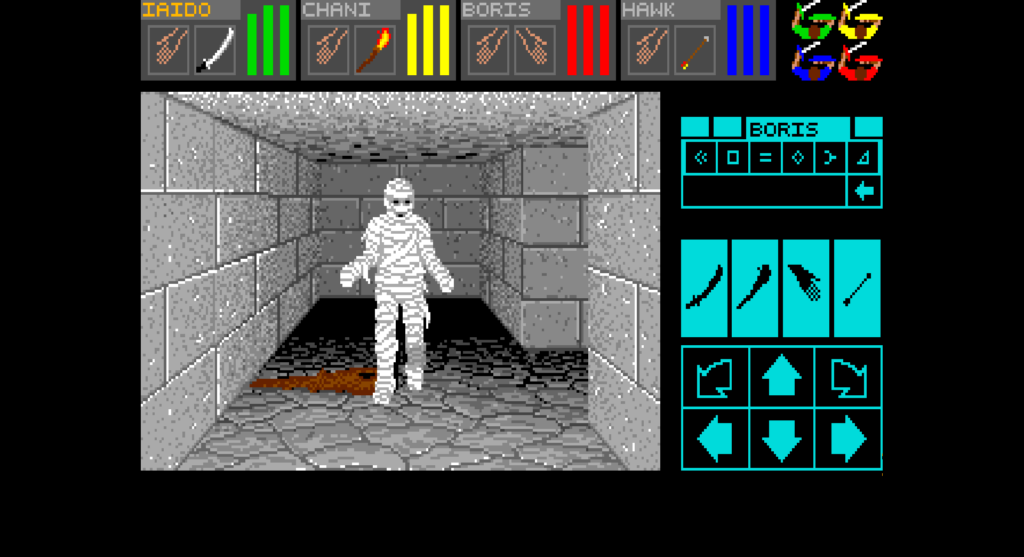
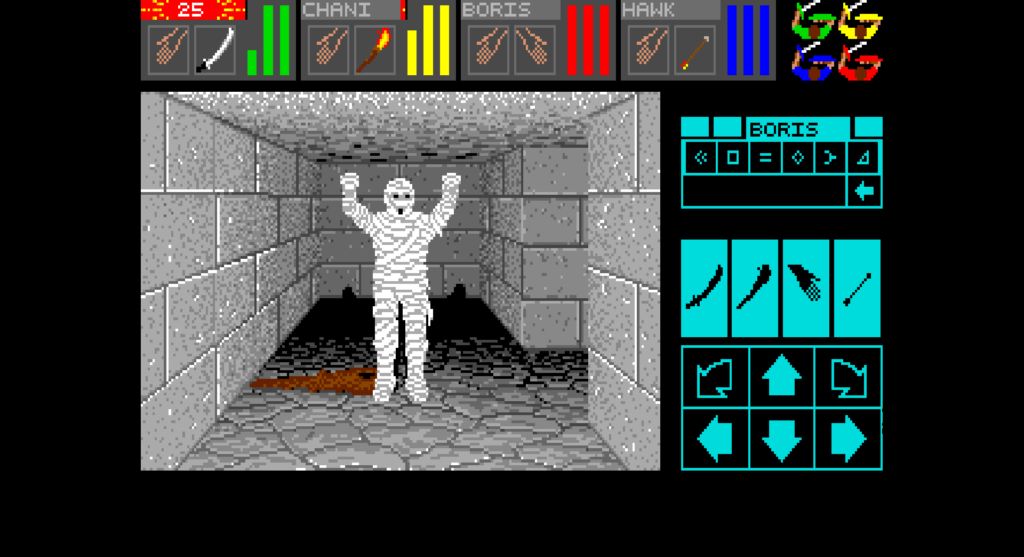
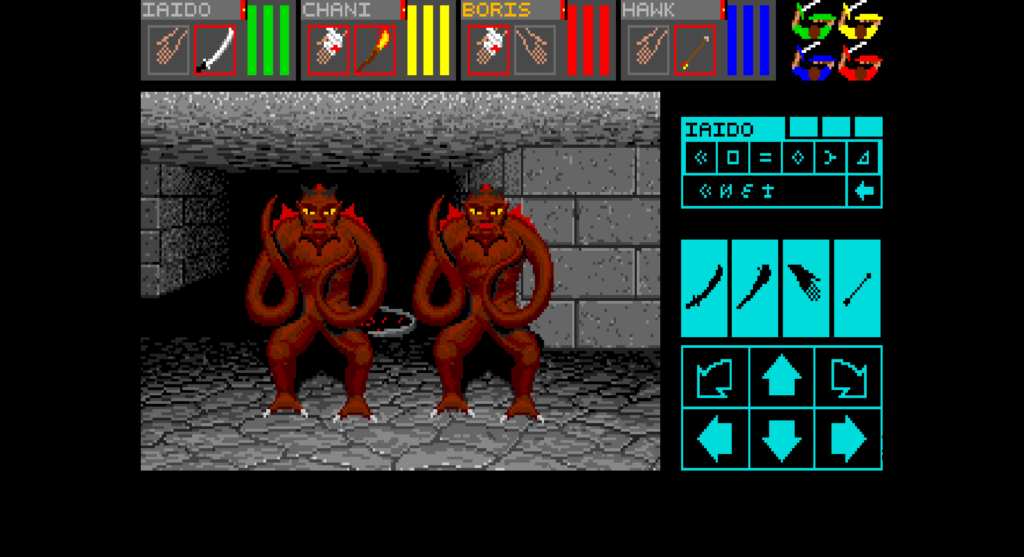
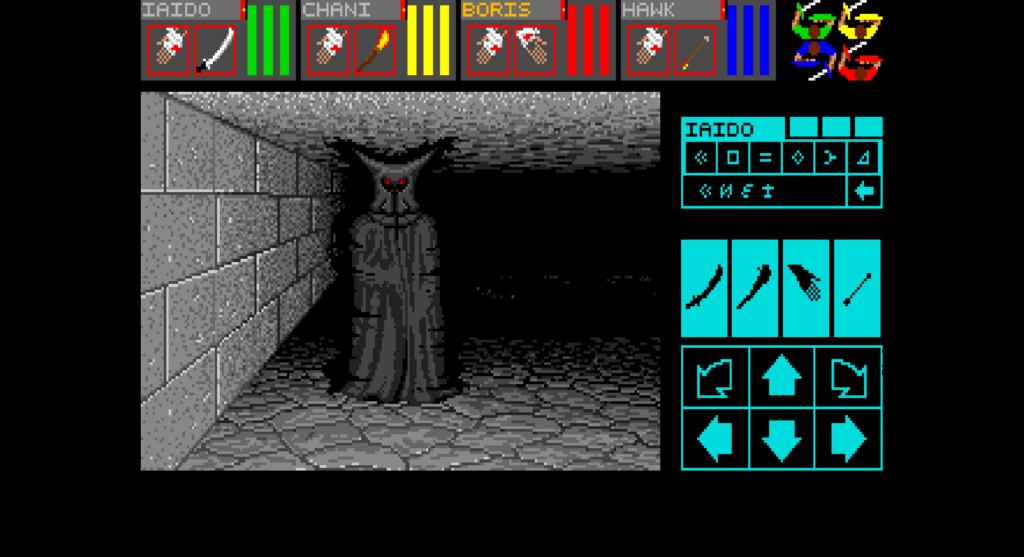
With that, most of the graphics are now in place and I have begun playtesting. All monsters and explosions look perfect. Here are some screenshots:

Look at the shadow of the mummy’s hands on the back wall 😄 so much detail in this game!
I’ll upload a detailed blog covering all the code changes for the DOS version once it is complete. I know I said the same thing last week — I’m currently busy with university labs and exams, but once the final PR is up, the blog will follow!
That’s it for this week — see you in the next one! 👋