Hello and welcome back! This week I worked on the DOS version of the Dungeon Master engine, and a big part of that was getting the VGA colors right, since the DOS release used 256-color VGA graphics.
I added DOS-specific palette index constants to the graphics header, letting the engine track different environment levels, menus, and spell fade states. With the correct colors generated, I hooked them up directly to ScummVM’s palette manager, enabling accurate rendering and smooth screen fades.
The palette changes depending on whether the game is running normally, paused, or displaying the inventory screen. I implemented this switching in drawViewport() — accessing the inventory switches to the inventory palette, while drawing the dungeon uses the active environment palette.
Light levels also affect how bright the viewport is, from pitch black to fully lit. I updated the palette loading logic to read light levels directly from the runtime viewport palette _palDungeonView.
Next, I updated the startEndFadeToPalette method. In the original game, whenever the screen needs to change — opening the main menu, starting the game, entering a new area — the engine calls a transition function with a raw buffer of color data. On the Amiga, it would manually fade color-by-color. On DOS however, screens are displayed using the pre-defined full VGA palettes set up earlier.
So the matching logic looks at the incoming color buffer and figures out which game screen it corresponds to — is it blank black, the intro, the credits, or the main dungeon view? Once identified, the correct DOS VGA palette is applied immediately.
The DOS version organizes its wall and floor graphics quite differently from the Amiga version. On DOS, wall sets are much larger — 40 graphics per set — starting at index 86, with floor/ceiling sets beginning at index 78.
The indices are spread out differently, to address which I added platform checks to load the correct offsets throughout. Memory allocation for all environmental graphic buffers — D1/D2/D3 walls, door frames — was also adjusted to dynamically compute sizes and locations using the correct platform-specific layout.
The IMG3 Decompressor
With the VGA color systems and palette tables fully in place, the final step to getting graphics on screen was writing the decompressor for the DOS version’s custom image format.
The DOS release compresses its graphic assets using the IMG3 RLE format, which differs significantly from the byte-oriented IMG2 format used on Amiga. I integrated an IMG3 decoder into loadIntoBitmap().
DOS bitmaps also require every row of decompressed data to align to an even byte width. For odd-width graphics, the decompressor needs to inject a padding pixel at the end of each line. I added row wrapping, ensuring the decompressed output aligns correctly.
Once the decompressor was running, we needed to make sure the game allocated enough memory for the decompressed graphics. Since the DOS decompressor pads odd-width graphics to even byte boundaries, I updated the memory allocation routines for all game assets, replacing standard pixel-width lookups with a new getDecompressedWidth() function that returns the even-aligned width for DOS, preventing memory corruption when loading graphics.
With all these changes in place, the DOS version now looks like this: 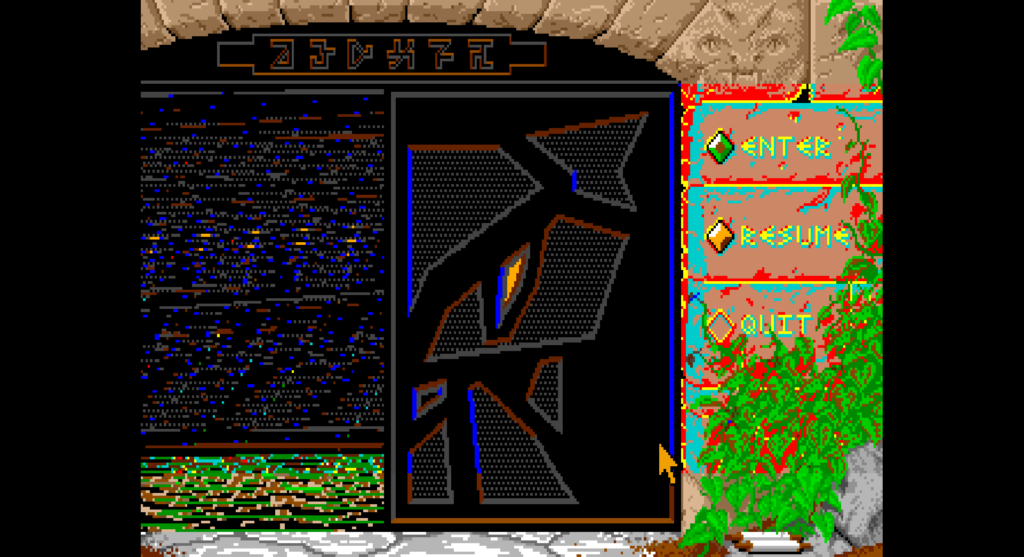
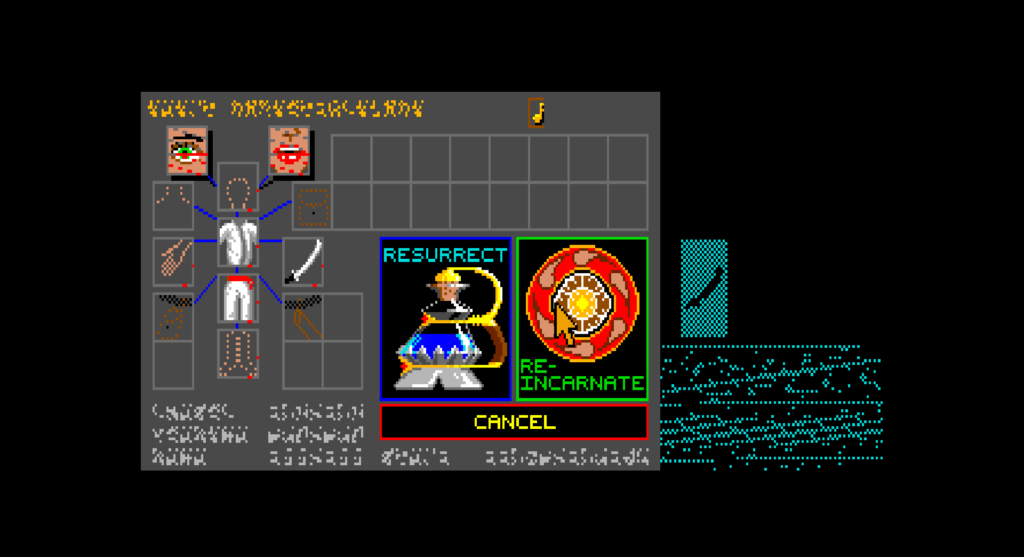
Corrupted Graphics — What’s Left
The graphics are still corrupted due to two root causes (hopefully 🙃):
First, DOS has more database entries than Amiga, so all the hardcoded Amiga constants are pointing to the wrong data. The font, item icons, creatures, and pit/ceiling graphics are all shifted on DOS, meaning the engine is currently reading from the wrong indices entirely.
Second, unpackGraphics() stops unpacking at index 532 — the Amiga limit — but DOS graphics continue up to 670, with sounds starting at 671. This leaves the font and item graphics completely uninitialized in memory.
These are what I’ll be focusing on next week, with the goal of bringing the DOS version to a fully playable state as soon as possible. That was it for this week — see you in the next one! 👋