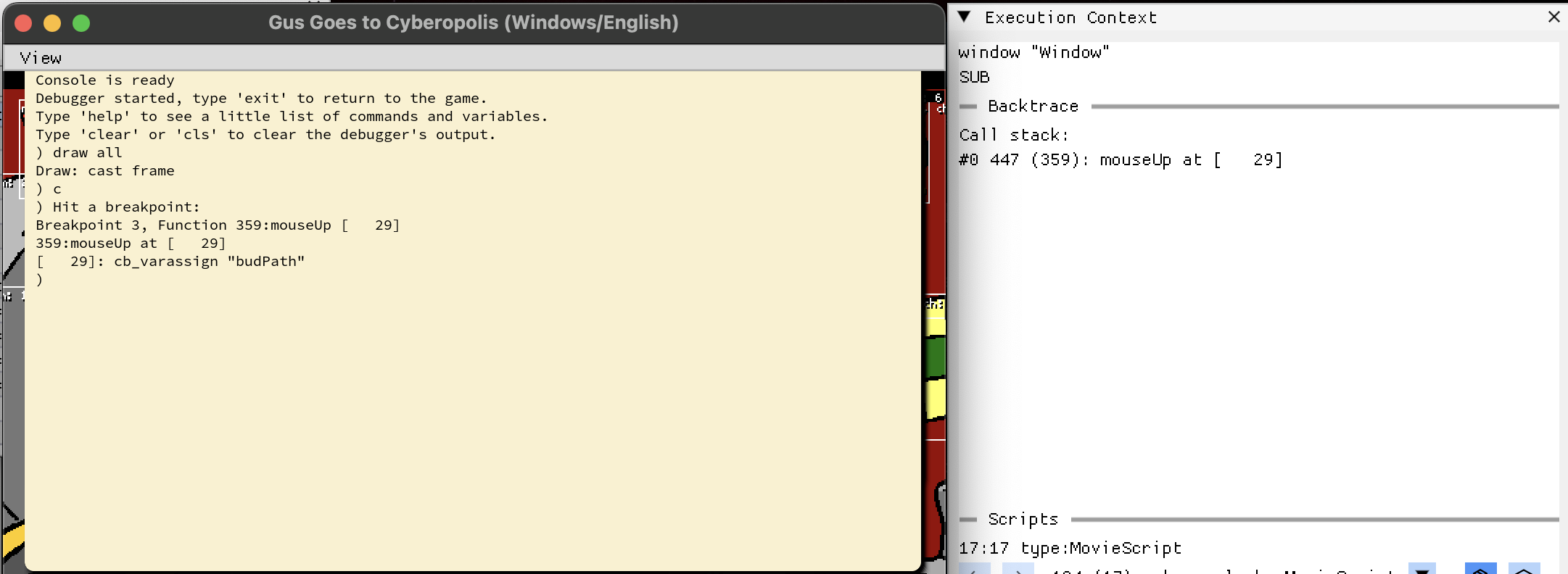
Most of a Director game is one movie playing at a time. You leave one, you enter the next, and the engine only ever has a single score ticking over. But Director also lets a cast member be another whole movie (a “movie cast member”, #movie in Lingo) that runs in parallel, inside a sprite, while the host movie keeps going around it. This week I made ScummVM actually do that.
Director’s vocabulary, quickly: a movie is a timeline (its score) of frames. Each frame has numbered channels, and a sprite sitting in a channel is one on-screen instance of a cast member, an asset from the movie’s library. The stage is the window everything draws into, and Lingo is Director’s scripting language.
The thing that forced the issue is the mini-map in Star Trek: TNG Interactive Technical Manual. You walk the decks of the Enterprise-D in a QuickTime VR panorama, and in the corner there’s a little schematic of the deck with a marker showing where you are. That mini-map isn’t a picture the host draws: it’s a separate Director movie, linked in as a cast member, running its own scripts, watching a shared global to know where the marker goes, and setting another global to send you somewhere when you click it. Get movie cast members working and the mini-map comes alive. That was the goal.
By the time the mini-map worked I had three problems on my list that looked entirely unrelated, to each other and to it: the host’s caption text had stopped drawing, the input queue was growing without bound, and DT, the debugger, was flickering between two movies’ scores several times a second. I assumed three bugs. Underneath, they were one.
A cast member that drew nothing
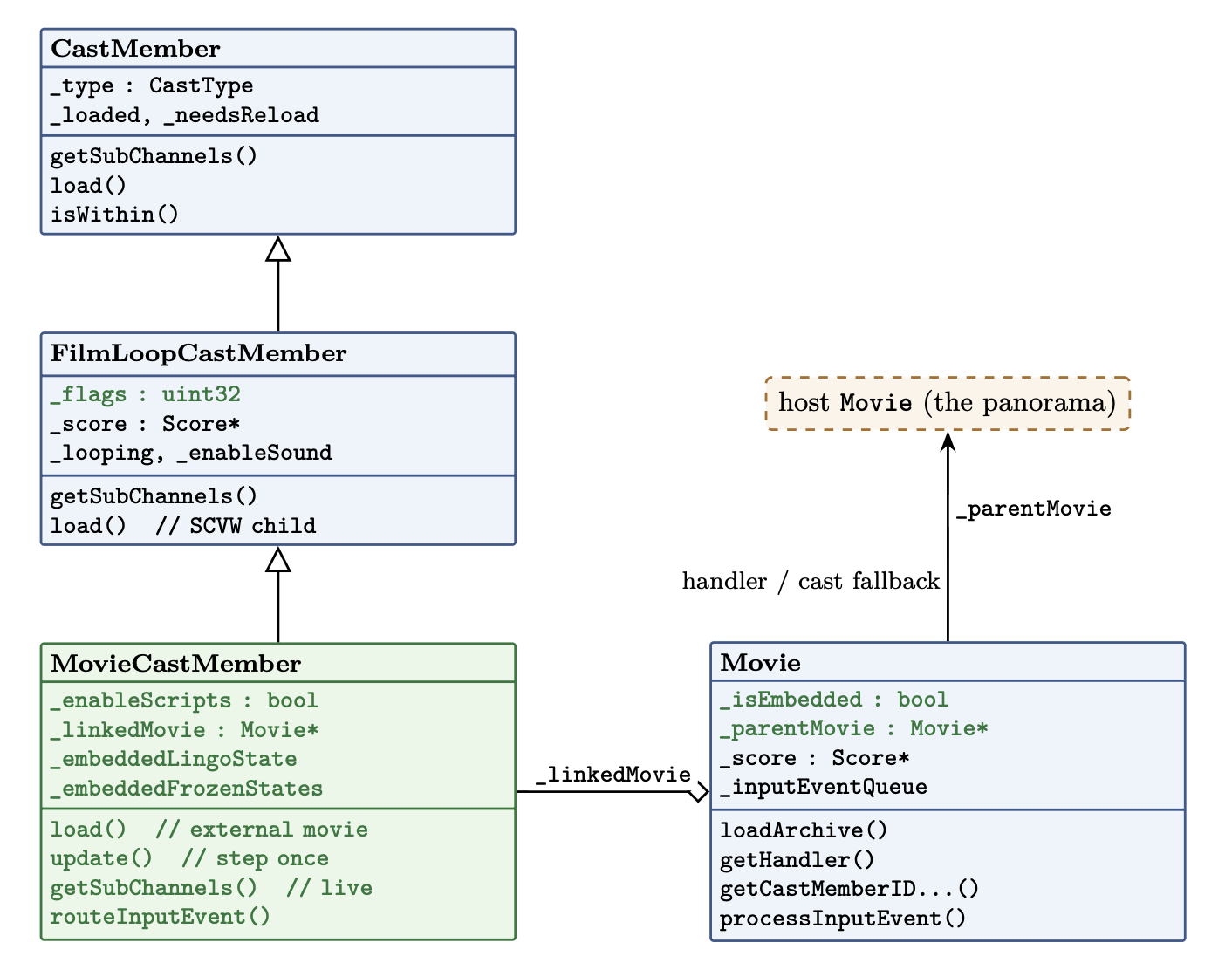
Movie cast members and film loops share the exact same layout on disk. The only real difference is a single flag: a film loop is a canned animation, a movie cast member runs its own Lingo (scriptsEnabled). Because of that shared format, ScummVM already modelled MovieCastMember as a subclass of FilmLoopCastMember, and inherited the film loop’s loader, which looks for an embedded SCVW resource. A movie cast member doesn’t have one. Its content lives in a separate movie file, named in the cast info. So the loader found nothing, and the cast member drew nothing at all.
The first job, then, was a real load(): take the linked path out of the cast info, resolve it with findMoviePath, open the archive, and build a proper Movie out of it that the cast member owns. Point the inherited _score at that movie’s score and suddenly there are frames to draw.
There was also a bug. The moment the linked movie loaded, the whole stage resized itself to the mini-map’s dimensions and the panorama vanished. A movie, when it loads, assumes it owns the stage: it resizes the window, recentres it, repaints the background colour. That’s correct for a movie you open normally, and completely wrong for one living inside a sprite on someone else’s stage.
The fix is a flag, Movie::_isEmbedded, set on the linked movie. Anywhere loadArchive() reaches for the stage, it now checks that flag first and leaves it alone. An embedded movie borrows the host’s window; it never gets to own it. That flag turns out to be load-bearing: it comes back to guard rendering twice more before this is over.
Running in parallel
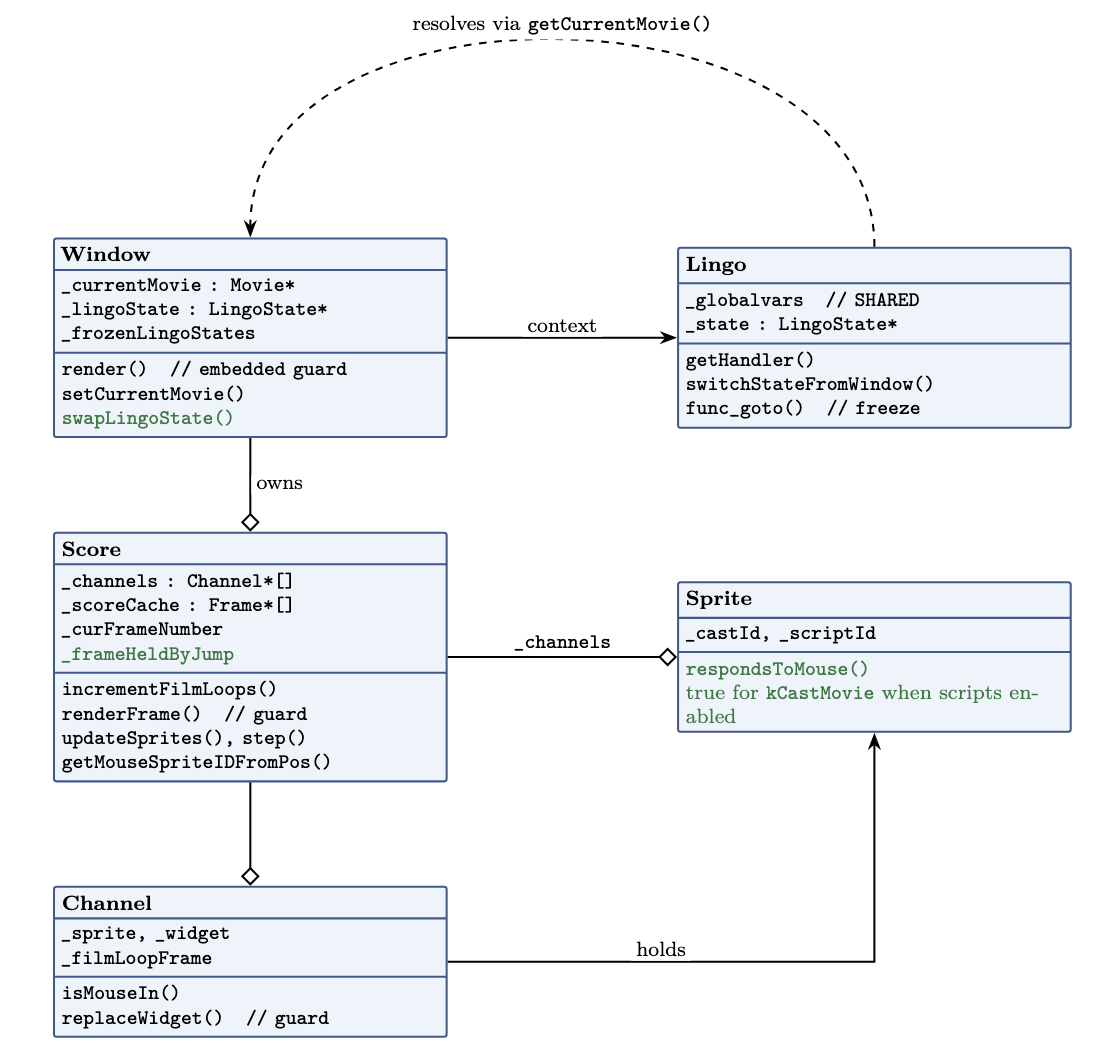
Here is the idea that organizes everything below, and it isn’t mine, sev handed it to me at the start: a movie cast member is a Window that doesn’t own a window. A real ScummVM Window has its own current movie, its own execution state, and its own step. A movie cast member needs all three, but it has to borrow them from the host, use them for exactly one step, and give them back. Every fix in this post is a consequence of getting that borrow-and-return right.
Start with the step. Loading a movie is not the same as running one. A film loop is a flipbook: you just ask it for the sprites at frame N. A movie cast member has to step: run its frame scripts, honour go, fire its events, advance. So update() now steps the linked movie’s score exactly like a real movie does.
The word “exactly” hides a decision: how fast does it step? A movie has its own tempo channel, so should the mini-map run at its own tempo, independent of the host? Rather than guess, I built a test movie in Director 4: a host at one tempo with an embedded movie authored at a different one, each incrementing a visible counter, and watched what the original engine did. The counters stayed locked together. Under D4, a movie cast member ignores its own tempo channel entirely and advances once per host frame, no independent clock, no drift. I’ve only verified this for D4; if D5 or D6 differ, that’s the first thing I’d re-check.
Then there’s the question of whose movie is “current”. Almost everything in Lingo resolves against the current movie: go, handler lookup, cast lookup, the clickOn. If the mini-map’s go is going to move the mini-map and not the panorama, the linked movie has to be the current movie while it steps. So update() swaps the window’s current movie to the linked one, steps, and swaps it back. For the duration of one step, the embedded movie is the current movie, and everything in Lingo resolves against it.
Reaching out, and getting on screen
Two things fell out of the borrow that I hadn’t planned for. First, the mini-map’s scripts call handlers that don’t exist in the mini-map: levelblinker lives in the host. And they read cast members that also live in the host. The linked movie isn’t self-contained; it’s written assuming it can reach up into whatever movie loaded it. That gave Movie a second new member, _parentMovie, and handler and cast lookups now fall back to it when the embedded movie comes up empty. The mini-map simply doesn’t run without it.
This fallback makes this title work, and it might be the wrong general answer: Director also has shared and external cast libraries, and a message hierarchy with a specified order, and it’s possible the “authentic” fix for another game is one of those rather than “fall back to whoever loaded me.” I verified that the mini-map needs the parent for levelblinker and its cast lookups; I have not verified that “fall back to the parent” is what Director itself does in general.
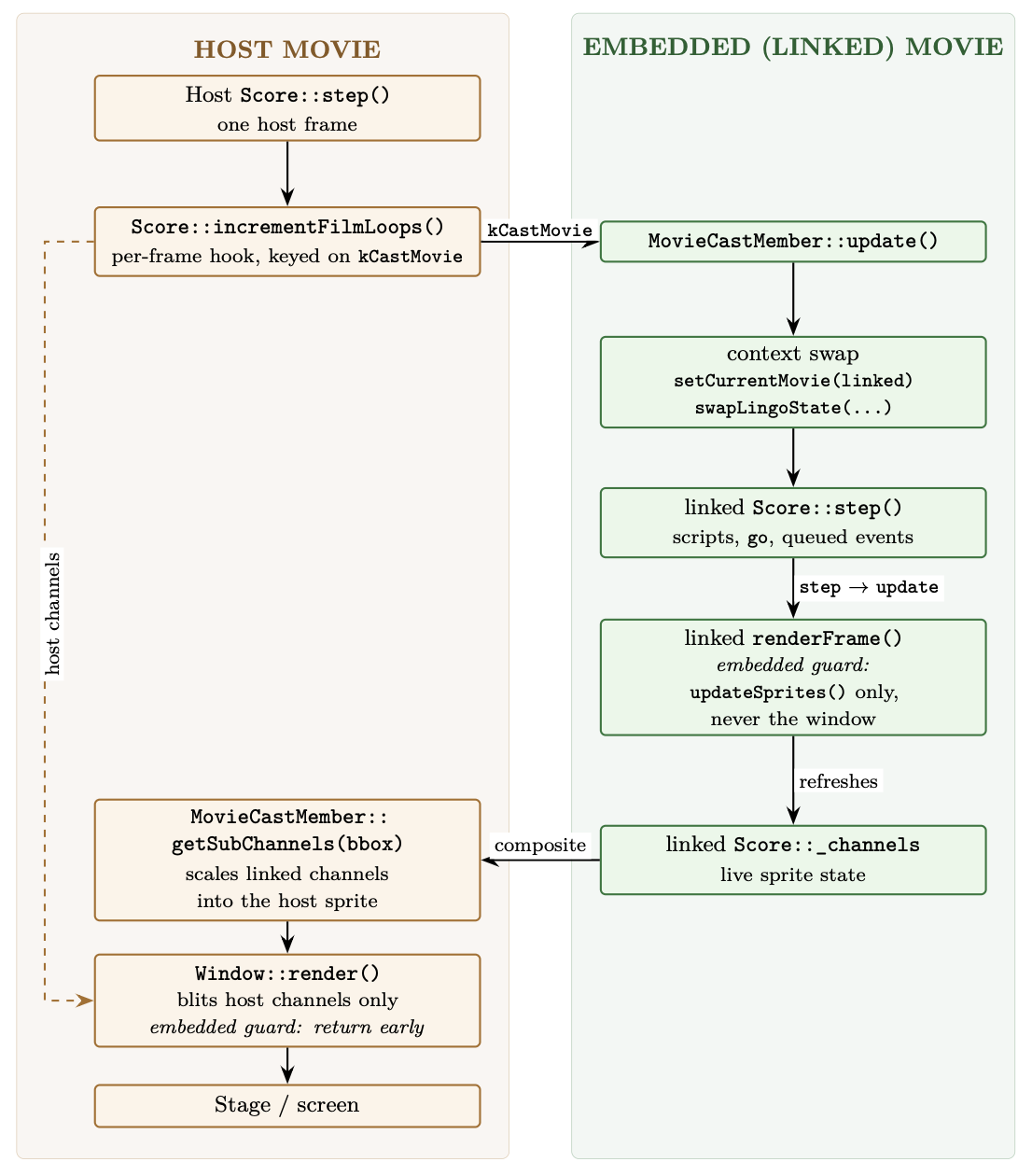
Second, getting the embedded movie’s pixels onto the screen. Rendering in ScummVM’s Director engine is pull-based: a window renders the channels of its current movie and nothing else. The embedded movie is never the window’s real current movie (only for that flicker of a step), so it can’t push itself onto the stage. Instead the host pulls: the embedded movie’s own renderFrame() refreshes its channels but, seeing _isEmbedded, stops short of drawing them anywhere, and then getSubChannels() takes those live channels, scales them into the sprite’s bounding box, and composites them. “Live” is the important word: it’s the actual running channels, so anything the mini-map’s scripts change shows up immediately.
Ghost in the corner
With all that in place the mini-map appeared, animated, and tracked my position. And it also drew a second copy of itself, small and wrong, jammed into the top-left corner of the stage.
My first guess was a highlight artifact, something about the sprite’s hilite flag drawing where it shouldn’t, so I tried guarding that. It didn’t help, and I dropped it.
The real cause was the pull-based rule again, from the other side. When the embedded movie stepped and called something that triggered updateStage, it went all the way into Window::render() and rendered its own channels onto the shared window, at the embedded movie’s native origin, which is the top-left of the stage. The composite path was doing its job in the sprite; this was a second, illegitimate path drawing the same content in the wrong place.
The guard I added is at the top of Window::render(): if the current movie is embedded, return immediately. It’s a guard; I’m discarding a render request that should never have travelled this far, rather than modelling what updateStage “should” do for an embedded movie in real Director. For this engine the invariant I want holds either way, an embedded movie reaches the stage through exactly one door, getSubChannels(), and no other. Ghost gone.
Two other things were wrong by this point, and I was ignoring both. Mouse events were piling up in the queue instead of draining. DT was flickering between two scores. Neither seemed connected to anything I’d just done, so I wrote them down and kept going.
Text that wouldn’t draw
The mini-map worked, but a piece of the host broke: the panorama’s description text (the caption that tells you what you’re looking at) stopped drawing. It rendered fine on master. Something in my branch had killed it.
I couldn’t see it by reading, so I bisected (kind of). First across the commit series: build each commit, run it, look for the text. One commit was fine, the next was broken, which pinned it to “run the movie cast member as a parallel movie”. That’s a big commit, so I bisected within it, as a designed ladder of four builds, each enabling one more thing than the last:
- don’t step the embedded movie at all, text draws;
- start the embedded movie but don’t step it, text draws;
- step it, but skip the sprite update, text draws;
- step it with frame-script execution, text gone.
The last rung was the one that broke, so the culprit was specific: the embedded movie running its own frame scripts.
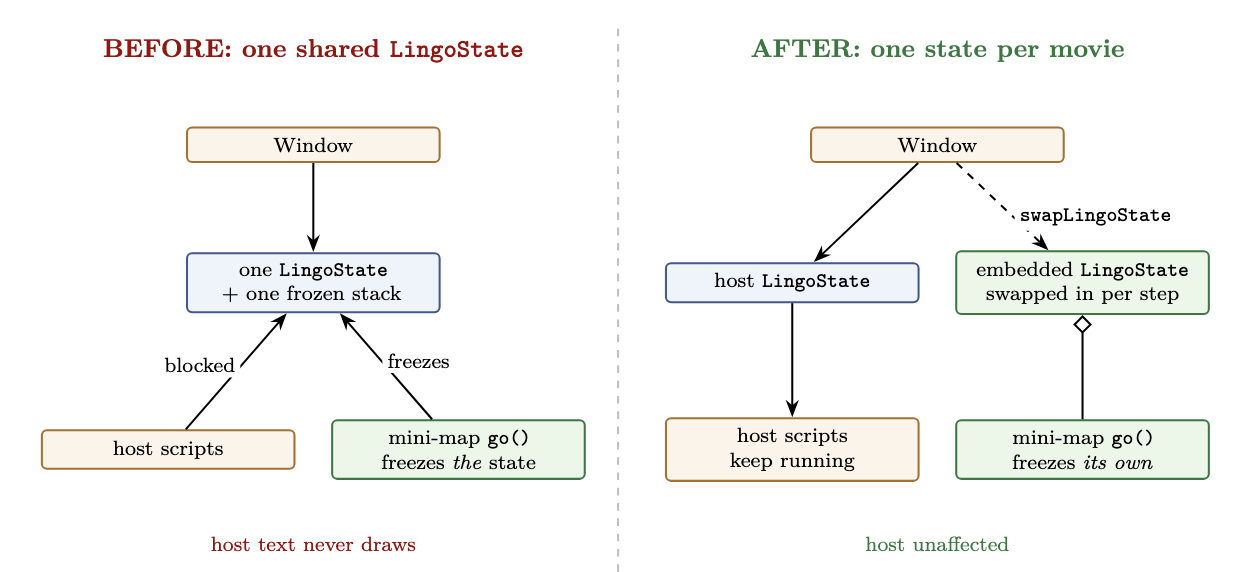
The invariant that was violated is small and exact. A Window owns one LingoState: a call stack, plus a stack of frozen states, which is how Director suspends a script mid-run to go do something else. That’s one thread of execution. The mini-map issues a go() on every single frame (that’s how it repositions the marker), and each go() freezes the current state and pushes it onto the window’s frozen stack. Because that stack was shared between the host and the embedded movie, the mini-map’s per-frame freeze kept pushing the host’s own scripts aside, and the script that draws the caption never got to run.
The fix is to stop sharing the one thing that must not be shared. The movie cast member now carries its own LingoState, and a new Window::swapLingoState() exchanges it onto the window only for the duration of a step, then swaps it back. The mini-map’s go() now freezes the mini-map’s own state and leaves the host’s completely alone.
Then the other two symptoms went quiet, and it took me a moment to see why, because they weren’t fixed by identical means.
The input queue drains only when the window isn’t mid-jump: in Score::step() the drain is gated on !hasJump and an empty frozen stack. With one shared frozen stack, the mini-map’s per-frame go() left the window permanently mid-jump, so the host’s routed mouse events had no frame in which they were allowed to drain. Isolating the state means the host is never mid-jump on the mini-map’s behalf; and because the mini-map is always mid-jump on its own behalf, update() drains its routed clicks explicitly, once per step. Same root cause, two coordinated fixes.
DT was flickering because it samples the window’s live Lingo state once per frame, and with a single shared state it had a real chance of sampling while the embedded movie owned it. The current-movie swap is still there, so DT can still land inside a step, but it now reads a state that belongs unambiguously to one movie instead of a half-updated shared one, and in practice the flicker is gone. I’d call this one strongly suspected rather than proven.
One shared LingoState; three symptoms.
Shared globals, private minds
It would be easy to conclude from all that the two movies should be walled off completely. They shouldn’t, and the mini-map is exactly why. Its whole job is a conversation with the host through shared globals: it reads gNodeNow to know where to put the marker, and writes gNewNode when you click to ask the host to travel. Wall the globals off and that conversation becomes impossible.
So the line to draw is between two things that get lumped together as “state”. Global variables stay shared: they live on Lingo, one table, host and embedded both reading and writing it; that’s the communication channel. Execution state (the call stack, the frozen stack, where each movie is in its own scripts) is private, one per movie.
A click, end to end
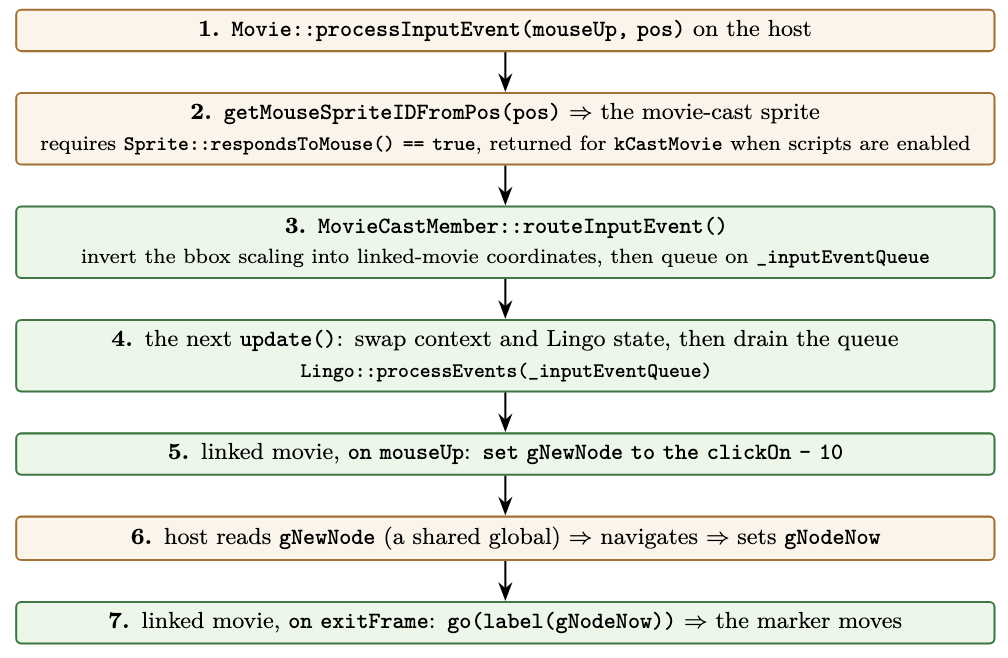
The click is the whole design in one path, because it crosses the host/embedded boundary twice and the only things that cross with it are two globals. The diagram below traces all seven steps; the part worth saying in prose is the shape. Your click is hit-tested by the host, routed into the mini-map (with the bounding-box scaling inverted so the coordinates land in its own space), and handled by its on mouseUp as set gNewNode to the clickOn - 10 (the clickOn is the clicked sprite’s channel number; the - 10 is the mini-map’s own offset from channel to node id). From there it’s globals only: the host reads gNewNode, navigates, and writes gNodeNow; on its next exitFrame the mini-map reads gNodeNow and moves the marker. Two globals cross the boundary; everything else stays on its own side.
Loose ends
A handful of things I closed, verified, or explicitly left open:
scriptsEnabled. The flag this all started with was decoded but never enforced, so a movie cast member always ran its Lingo. It’s now honoured: with scripts off, the linked movie is a passive flipbook. The lever already existed asScore::_haveInteractivity, which gates every event, frame scripts included, while a frame still advances underneath it, so the movie’s frames and channels update but no Lingo runs and it doesn’t respond to the mouse.- Blast radius of the hit-test change.
Sprite::respondsToMouse()now returns true for a movie cast member (when its scripts are enabled). That’s an engine-wide function, but the change only adds a branch forkCastMovie; every other cast type takes the same path as before, so no other game’s click behaviour moves. - Regressions. These changes touch shared render and hit-test paths, so the check that matters is the engine’s D4 unit-test suite: it still passes at its baseline (196 pass, 11 pre-existing failures), unchanged from master. But there are places tests don’t cover.
- Untested corners. One movie cast member on stage, single instance, is what I ran. Two at once, and a movie cast member nested inside a linked movie, are both things Director allows and I haven’t tested; the state swap is a two-slot exchange, and a robust version is probably a push/pop. I also haven’t profiled the per-frame cost of stepping a second score, though with one embedded movie it isn’t perceptible.
- Moving in the panorama doesn’t move the map. Clicking the map navigates the panorama, but walking through the panorama doesn’t move the marker. The map is a pure consumer of
gNodeNow, and the host only updatesgNodeNowfrom its QTVR node-change path, so this is a QTVR-side gap, not a moviecast member one.
Where this is headed
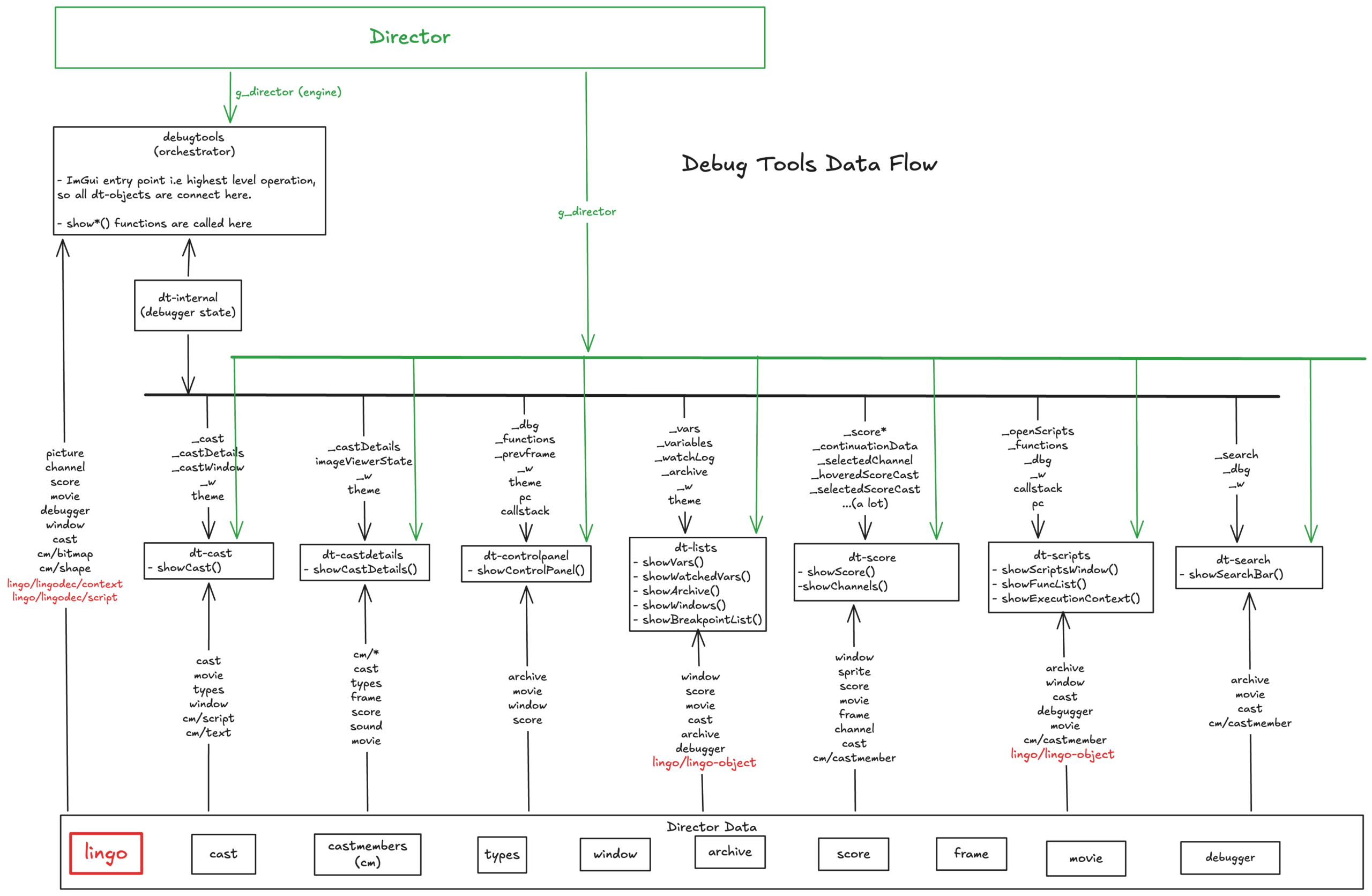
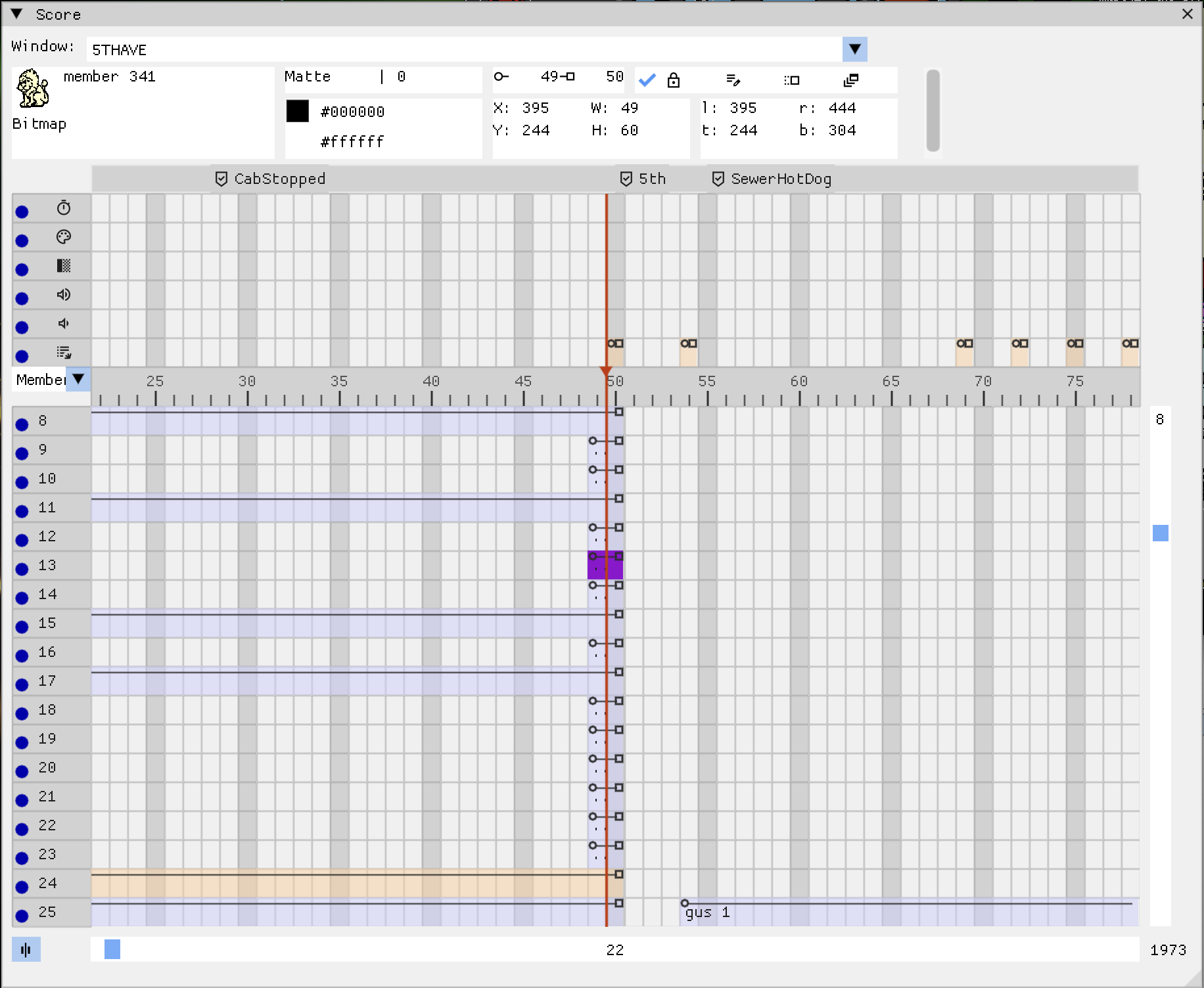
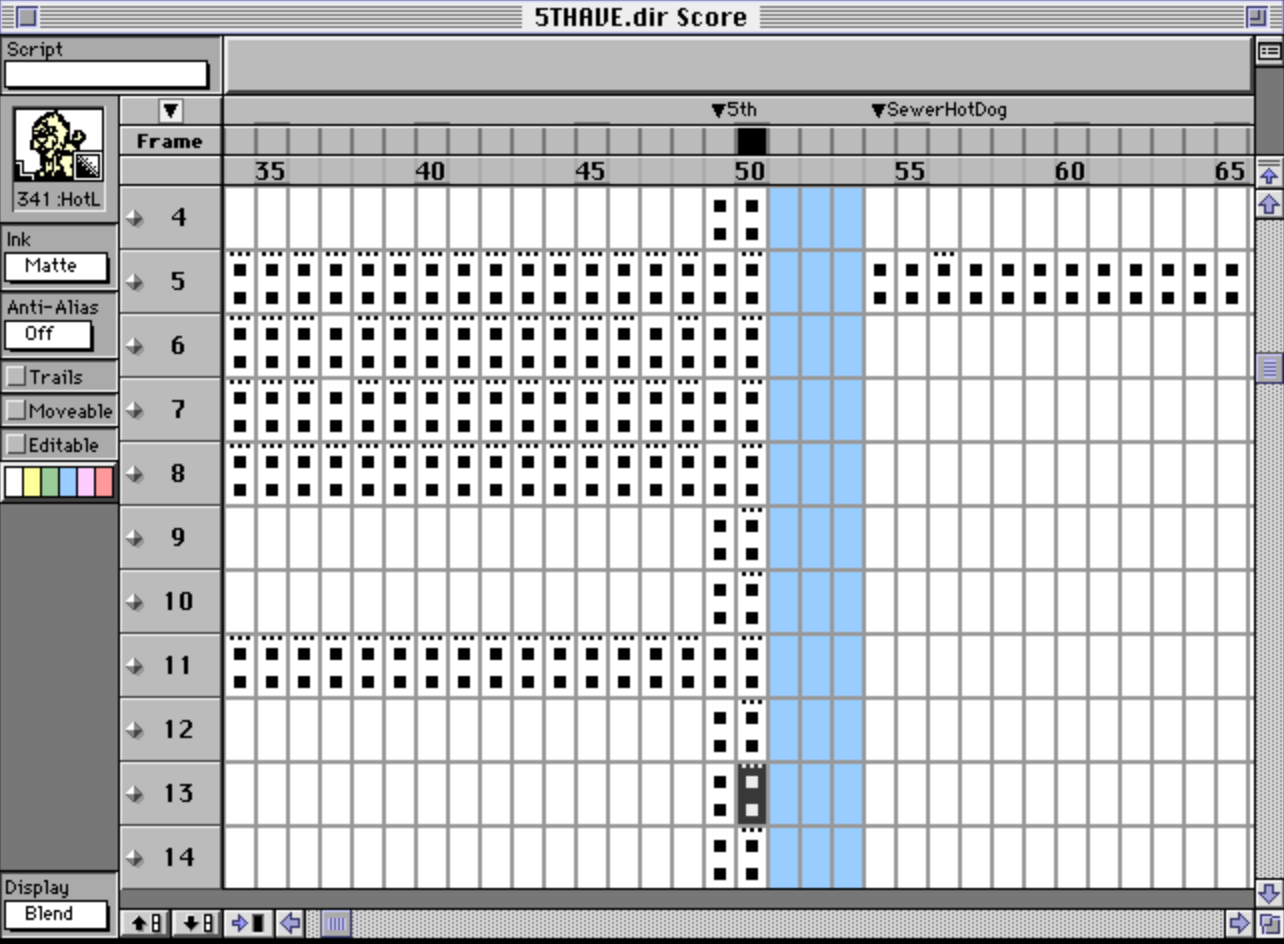
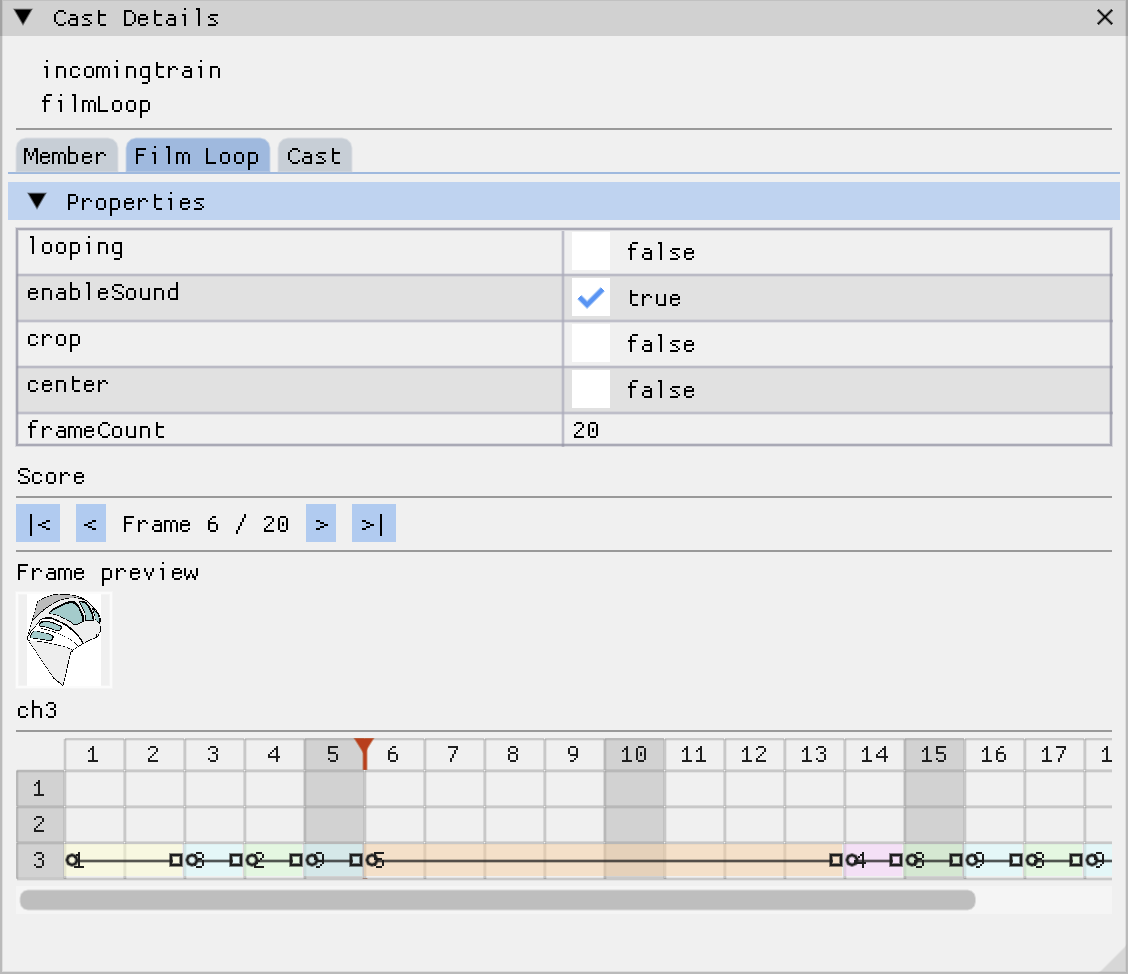
Next up is the DT side, so the next person to open a movie cast member can watch both scores at once. None of the debugging above was done with a nice tool: it was rebuild-and-observe and reading the call graph, and DT itself was one of the broken things. Which is exactly the gap I want to close, and why this line from Zig’s creator Andrew Kelley (link to the quote) is the note I want to end on:
I needed to code up a simulation, I needed some visualization, I needed more introspection, I needed a way to understand what is happening, so that debugging wasn’t an all-day affair where I was using command line tools, but debugging could look like just looking at an animated graphic of what’s happening and just spotting the obvious problem and fixing it immediately.
When you have the right simulation, that’s what you can do. When your system is accessible, bugs are trivial.
– Andrew Kelley
The code
Everything above is in the movie cast member PR: https://github.com/scummvm/scummvm/pull/7752
It’s seven commits, building from reading the flag word correctly, through loading and playing the linked movie, to running it in parallel and finally isolating the Lingo state.
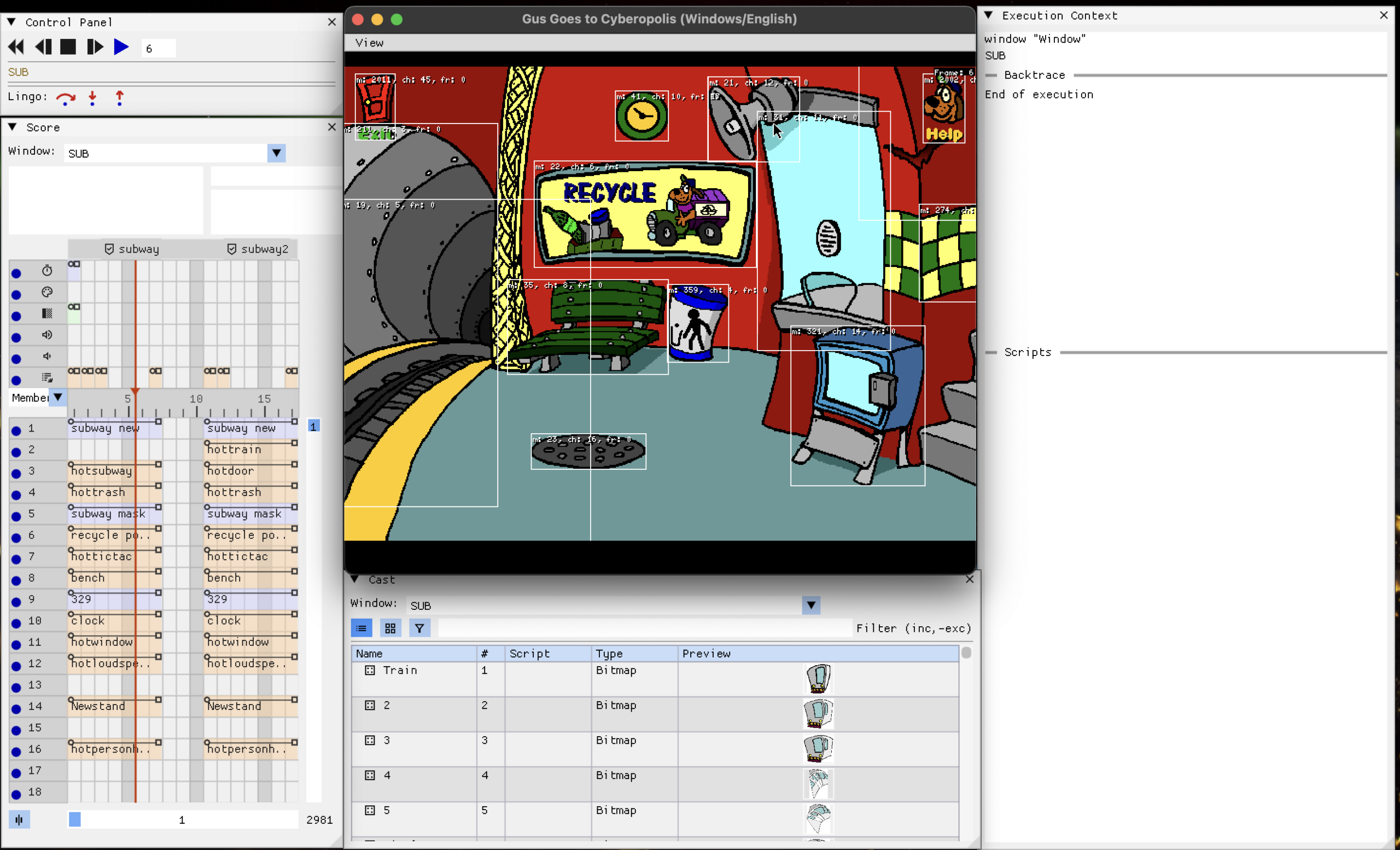
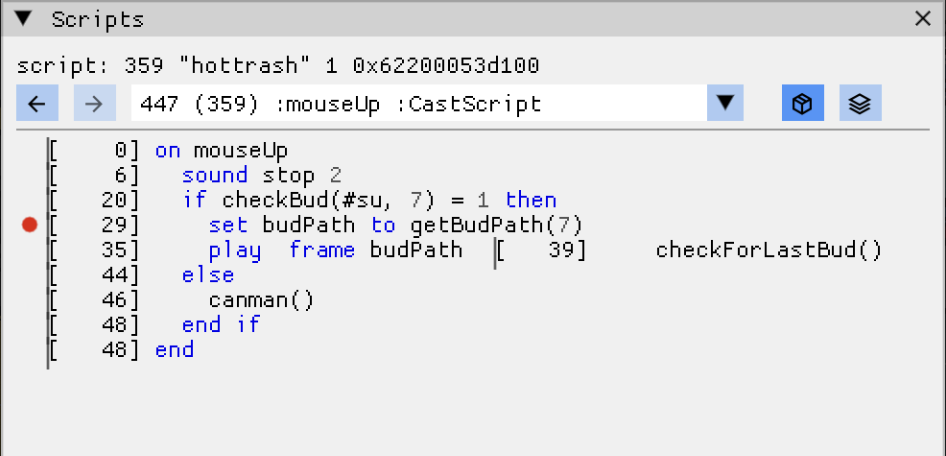
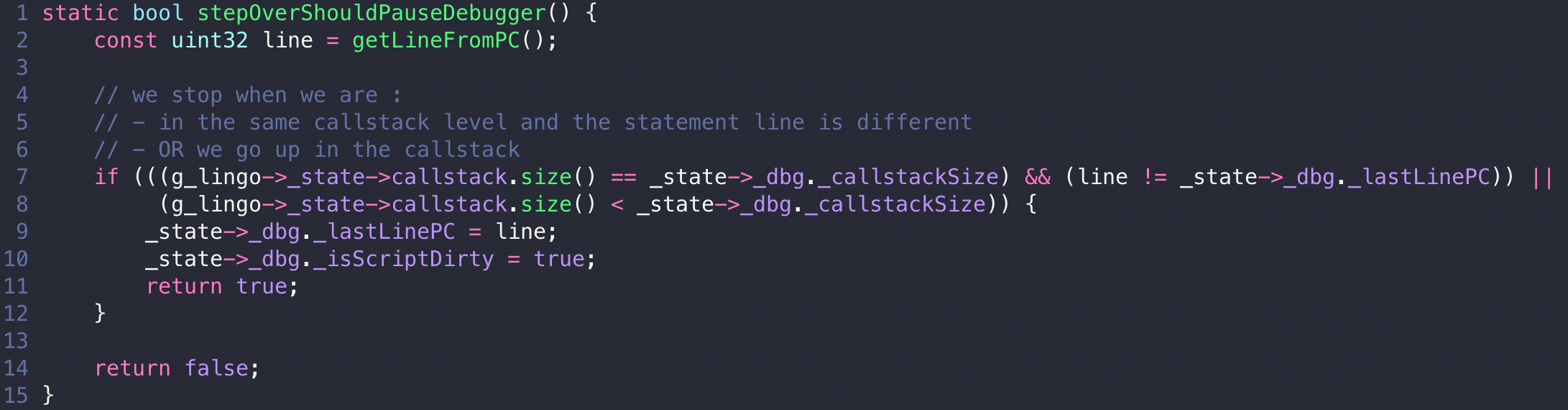 The interpreter calls this after every instruction while running. Step into and step out are the same idea with the conditions changed: step into pauses on any line change or callstack change, step out only when the callstack gets shorter. The debugger does not drive the interpreter, it just answers “should we stop here” when asked.