Categories
GSoC 2026

The final post

GSoC 2026 Final Report — Finishing Incomplete ScummVM Engines

Contributor: Ion Andrei Cristian · Organization: ScummVM · Coding period: 25 May – 17 August 2026

This is my final work product for Google Summer of Code 2026. It collects everything I worked on this summer in one place: what the project set out to do, what actually landed, where things stand now, and what is still open for whoever picks this up next.

THE PROJECT

ScummVM has a number of engines that are almost finished — the games boot, most of the logic is there, but something keeps them from being shipped: incomplete low-level graphics, legacy code structures inherited from a decompilation, or gameplay bugs nobody has sat down and tracked to the end. My proposal listed several such candidates. My mentor’s guidance was clear and, in hindsight, exactly right: rather than touching many engines superficially, take two of them all the way to a releasable state.

The two were:

  • Chamber of the Sci-Mutant Priestess — a 1989 adventure by Delphine Software, whose ScummVM engine had a working CGA path but a broken EGA one, no Amiga support, and a long tail of gameplay bugs.

  • MacVenture — the engine behind Déjà Vu, Déjà Vu II, Shadowgate and Uninvited, which ran but crashed regularly and diverged from the original in ways that made the games unpleasant or impossible to finish.

One thing changed along the way. Chamber’s Amiga releases turned out to be a much larger and more interesting piece of work than anticipated — a whole second renderer, with planar graphics, a different palette system and two separate regional releases. I discussed it with my mentor and we agreed it was worth doing properly rather than skipping. It became roughly a third of the summer.

WHAT I DID

Chamber of the Sci-Mutant Priestess

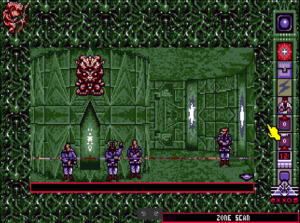
Getting EGA right. The EGA renderer was the headline problem. I fixed detection MD5s and title screen rendering, a transition that took twenty seconds on player death, mouse click coordinate latching, cursor hotspots, and implemented a missing script opcode. Later came a series of memory-layout bugs where EGA’s different buffer geometry caused writes to overflow into neighbouring structures and corrupt sprite lists and the backbuffer.

Gameplay and scripting. An infinite “you failed the ordeals” death loop caused by a timer bleeding across rooms. An endgame confrontation menu that re-prompted forever because a priority command never restored its stack pointer. An opcode whose operand width was wrong by one byte, silently desynchronising the whole script stream after it. Stale actors and commands surviving room transitions.

Randomness. The engine’s randomize() was a stub, so the seed was always zero and the sequence identical on every run — which made the same character spawn first in every single playthrough. The original seeded from the BIOS timer tick, and that seed is only the starting offset into a fixed table the game walks for its random values. I kept the table, so the distribution still matches DOS exactly, and took the offset from Common::RandomSource instead — which, on my mentor’s suggestion, also means the random_seed config key makes a run reproducible when you are chasing a bug.

The Amiga port. This was the biggest single piece. I reverse-engineered the Amiga data formats — 16-colour four-plane bitplanes, 12-bit RGB palettes, the SPRIT/PUZZL sprite containers with their byte-swapped dimensions, the cursor format — and built a renderer that shares the EGA chunky pipeline while differing in palette and planar conversion. Then the same again for the US “Chamber” release, whose executable has a completely different static-resource offset table. Both the European “Kult” and US releases are now playable start to finish.

Save/load. Scripted room changes — the De Profundis monster, Deilos — lived only in the backbuffer and vanished when you reloaded. Version 2 of the save format stores the backbuffer.

Release work. Static analysis passes (Coverity and PVS-Studio findings), a detection fix for folders containing both CGA and EGA data (bug 17004), engine enabled by default, all variants promoted to testing.

MacVenture

Getting the data in. The Steam re-releases wrap the game data in a CEF application, with an HFS disk image buried in a PE resource. I wrote a devtools extractor for it, extended it to the Apple IIGS disks, and fixed IIGS detection, which had been silently dead because there was no data-fork fallback.

Crashes. Inventory windows closed out of order, a use-after-free where a window callback deleted its own data while the engine kept dispatching through the dangling pointer, an unsigned coordinate wrapping when you dragged an object off-screen, a double free in the CALL opcode when a script called a function that does not exist, a double delete in the text-input dialog. Plus one in shared MacGUI code, where past roughly 680 lines of scrollback the rectangle maths overflowed a 16-bit Common::Rect.

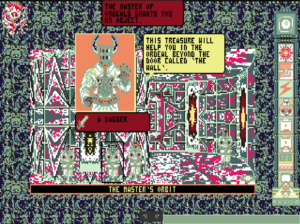
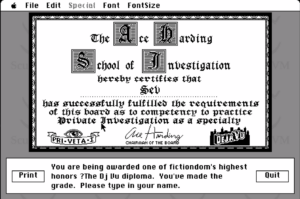
Making it behave like the original. Inventory window placement and sizing, lasso selection picking the wrong objects, Clean Up throwing items outside their window, the watch cursor while a command is processed, “click to continue” console paging, dialog buttons that invert while held and only act on release, shift-clicking to select several objects at once, and the diploma at the end of Déjà Vu actually being signed with the player’s name.

Timing. The SLEEP opcode computed (ticks / 60) * 1000, truncating every sub-second pause to zero, so animations flew past. And the GUI was forcing a full-screen refresh every frame, running the game at 17 fps instead of 50.

Two engine-level corrections. The random opcode returned a value inclusive of its maximum where the original returns one strictly below — every script indexing a table with it could read one past the end. And commands could not target the object they were invoked on, because a workaround for a duplicate-execution bug skipped the destination entirely; the real fix was to keep the destination out of the selection queue in the first place, as the original does.

Shared ScummVM code

Not everything was engine-local. Two fixes landed in shared code: an invalid-rectangle bug in the Mac GUI text renderer, a new absolute scrollTo() on MacTextWindow, and a SurfaceSDL regression that drew the game cursor several pixels off-target at scale factors above 1x — which affected every engine, not just mine.

CURRENT STATE

Chamber of the Sci-Mutant Priestess is enabled by default and all five variants are marked as testing. It is completable on CGA, EGA, Hercules, and on both the European and US Amiga releases. The Steam release is detected and playable.

MacVenture is in review for the same treatment. Déjà Vu is completable from start to finish. Déjà Vu II has been played to within sight of the ending and every blocking bug I hit along the way is fixed; the last stretch of the playthrough is the one piece of testing I did not get to finish. The two pull requests that enable the engine by default and promote the Macintosh releases to testing are open at the time of writing.

WEEKLY BREAKDOWN

Every week of the coding period has a blog post describing the work in detail. The pull requests for each week are listed alongside.

Week 1 – Focus: EGA detection, rendering and input; a rigged minigame and a frozen snake

Post: Week 1 Pull request: 7530

Week 2 – Focus: RNG seeding, ordeal timer death loop, state leaking across rooms, opcode operand width

Post: Week 2 Pull request: 7566

Week 3 – Focus: Confrontation menu stack overflow, sprite assembly coordinates, EGA zone transitions

Post: Week 3 Pull request: 7586

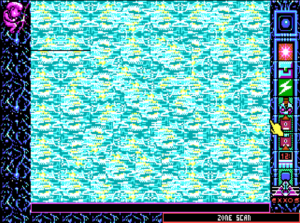
Week 4 – Focus: EGA memory layout overflows, timer endianness, zone scan width

Post: Week 4 Pull request: 7597

Week 5 – Focus: Amiga EU renderer: palette, sprite banks, script padding — playable end to end

Post: Week 5 Pull request: 7607

Week 6 – Focus: Amiga US release support, detection entries, zone scan effect; SDL cursor hotspot fix

Post: Week 6 Pull requests: 7629, 7628

Week 7 – Focus: Coverity and PVS-Studio findings; save format v2 storing the backbuffer

Post: Week 7 Pull request: 7629

Week 8 – Focus: Chamber enabled for release and promoted to testing; first look at MacVenture

Post: Week 8 Pull request: 7705

Week 9 – Focus: Steam and IIGS extraction tooling, IIGS detection, an uninitialised field causing assertions

Post: Week 9 Pull requests: 7722, 7726, 7728, 7748

Week 10 – Focus: Playing Déjà Vu through: Clean Up coordinates, console scrolling, watch cursor, animation pacing

Post: Week 10 Pull request: 7760

Week 11 – Focus: Inventory crashes, lasso selection, 17→50 fps, the signed diploma, click to continue

Post: Week 11 Pull requests: 7773, 7784, 7787, 7807

Week 12 – Focus: Déjà Vu II: script crashes, operate-on-itself, shift click, dialog buttons; release packaging

Post: Week 12 Pull requests: 7820, 7830, 7834

All pull requests are merged except 7830 and 7834, which are open and awaiting review.

WHAT IS LEFT TO DO

I would rather be honest about this than leave someone guessing.

In review. 7830 (enable MacVenture by default, add credits) and 7834 (promote the Macintosh releases to testing) are open. They are the last step before MacVenture can ship.

Finish the Déjà Vu II playthrough. I got very close to the ending, and the run was clean by that point, but the final stretch has not been played. It is a short job and the obvious first thing for anyone continuing this work.

Click to continue needs polish. The console now pauses and pages through long messages the way the original does, and it works — but the interaction is not yet as smooth as the real thing in every situation. It is functional, not finished.

Five sounds in Déjà Vu II do not play. Fifteen of the twenty work. The remaining five are not audio data at all: they are 68k CODE resources that the original played by executing them. Supporting them needs actual 68k emulation, which is well outside the scope of a bug fix.

Drawing mid-script is unsafe. MacVenture only assembles a fully consistent screen at the end of its main loop. Any attempt to draw from inside a running script (the opdeUPSC path) trips over half-built windows and invalid rectangles. I worked around it by pacing the main loop on elapsed time, which fixed the animations I needed, but the proper fix is a real animation path through the engine’s update cycle. Anyone attempting it should expect the crashes I did.

WindowData::bounds mixes coordinate systems. It holds content coordinates in some places and screen coordinates in others. I left this deliberately: updateWindow’s fillRect and the “mess up” logic both depend on the current behaviour, and untangling it safely is a refactor of its own rather than something to slip into a bug-fix branch. It is the single biggest source of coordinate confusion in the engine and worth doing properly.

Shadowgate and Uninvited need a full playthrough. MacVenture supports four games. I gave both of these a short look — they start up and play fine as far as I took them — but neither has had the sit-down-and-finish-it treatment that Déjà Vu and Déjà Vu II got. Given how much that turned up in the other two, I would expect a similar list from each.

Chamber has no per-language text support. The engine only distinguishes English (EN_USA) from non-English, so the French and German releases cannot be presented properly. Adding real per-language handling needs engine work, not just detection entries.

CHALLENGES AND LESSONS LEARNED

Coordinate systems were the theme of the summer. Clean Up throwing items out of their windows, lasso selection grabbing the wrong objects, inventory windows cascading off the bottom of the screen, the SDL cursor drawn several pixels off — all the same class of bug. What finally made the lasso one fall into place was not a clever insight, it was writing down explicitly which system each value was in: the mouse event is relative to the outer window, objects are relative to the content area plus scroll position. Once that was on paper the fix was obvious. I now do this first rather than last.

Reverse engineering without ground truth is slow, and you should go get ground truth. I spent a long time on the Amiga sprite bank encoding, trying chunky and every planar layout I could think of, and getting noise every time. The productive move — which I got to later than I should have — was to stop guessing at the format and go look at what the original executable actually does. Guessing scales badly; disassembly does not.

Old workarounds hide real bugs. My favourite fix of the summer was the Déjà Vu II flashlight doing nothing when you operated it. The cause was a workaround someone had added for a duplicate-execution bug: skip the destination while running the selection queue. It stopped the duplicate and also broke every command whose target is its own source. The lesson is that when a workaround produces a second symptom, the workaround is usually the thing to remove, not to extend.

Playing the game is the best bug report you can write. Weeks 10 through 12 were the most productive of the summer, and all I did was sit down and actually play the games with a notebook. Every bug I fixed in that stretch came from noticing something felt wrong, not from reading code — the same way I had found most of Chamber’s.

Check your build flags before you blame the engine. I lost time chasing jerky, stuttering gameplay that turned out to be a build configured with –enable-debug and no optimisations at all. The engine was fine.

Static analysis is worth a dedicated pass. Handing Coverity and PVS-Studio output a full afternoon surfaced real dead stores, leaks and uninitialised reads that no amount of playing would have found.

PRIOR CONTRIBUTIONS

For completeness, and to be clear about what belongs to the GSoC period and what does not: I was contributing to Chamber before the coding period began on 25 May. These pull requests are not part of my GSoC work, but they are the foundation the summer built on.

7267 · 7270 — splash screen refactor and Hercules palettes moved to the global graphics manager

7294 — Hercules scaling

7440 — initial EGA rendering

7474 — save/load support

7479 — splash screen filenames moved to detection flags

ACKNOWLEDGEMENTS

Thank you to my mentors, especially sev, for twelve weeks of steady guidance, quick reviews and genuine patience — including the times I turned up with a coordinate bug I had already been warned about. Thank you also to the wider ScummVM community for the review comments, and to Google for running the program.

Twelve weeks ago I had never touched either of these engines. Both are now heading for a release. That still feels slightly unreal.
Categories
GSoC 2026

Week 12

Last week I fixed the remaining problems with Déjà Vu, and  this week I opened Déjà Vu II and started again from the top, notebook in hand. It is the same engine, the same tooling, and the same approach as before, but a different game exercises different corners of the code — and it found plenty of them. This being the final week, it was also time to stop fixing and start packaging.

Two crashes hiding in the same week

The first one turned up almost immediately. Using Hit on an object that has no hit handler crashed the game outright. The CALL opcode was popping the script list unconditionally once the callee had run, but the loader only pushes a script when the function actually exists. Call something that isn’t there, and the engine cheerfully popped the caller instead, leaving the reference the interpreter was still holding dangling — and the next assignment freed the same instruction array a second time. The original engine reserves the slot before the call and always removes that same slot, so the list stays balanced either way. Now the pop only happens when a script was really pushed.

The second was much shorter to write down: the routine that asks the player for text deleted the open dialog without clearing the pointer, then called into code that begins by closing the dialog and deleting that very same pointer. Two lines removed, one double free gone.

The flashlight that did nothing

This was my favourite bug of the week, because the fix was really an apology for an older workaround.

In Déjà Vu II you find a flashlight, you click Operate, you click the flashlight — and nothing happens. The cause went back a long way: the destination object was being pushed into the selection queue, so every two-object command also ran a second time on its own destination. Someone had patched around that by skipping the destination while running the queue, which does stop the duplicate — and also makes any command whose target is the source do precisely nothing.

The real fix was to stop putting the destination in the queue in the first place and track it in the highlight list instead, which is what the original engine does. Operating an object on itself works again, and the duplicated command stays gone.

Selecting more than one thing

Shift-clicking is supposed to add an object to the selection rather than replace it, so you can grab a handful of items and drag them together. Dragging already knew how to handle groups; only the selecting was missing, and it was missing in three places at once. The shift state never reached the engine because the cursor code always passed false. The selection call passed its last two arguments in the wrong order, so the shift flag arrived where the double-click flag was expected. And the shift branch itself was still an empty stub.

Fixing the argument order was the interesting part, because it immediately exposed a second call that had been quietly landing in that empty branch on the release of every single click. With the flags the right way round it suddenly started activating objects instead. It turned out to have no other purpose, so it is now gone.

Small corrections, real consequences

Two one-liners worth mentioning. The random opcode was returning a value between zero and the maximum inclusive, where the original returns a value strictly below it — which means every script indexing a table with that result had a chance of reading one entry past the end. And object updates were being dropped whenever the object already had an entry in the queue, except the queue also holds window entries, which are dispatched later. While one of those was pending, an object could change without its window ever being told, so the change only appeared once you re-entered the room.

Buttons that feel like buttons

Dialog buttons were firing their action the instant the mouse went down, and never showed that they were being held. The original inverts a button while it is pressed, de-inverts it when the pointer leaves, and only acts on release inside the bounds — so a misplaced click can still be taken back by dragging away before letting go. The action is now also tied to a press that started on that same button, so a stray release left over from whatever opened the dialog can’t trigger one.

The one that got away

Some sounds in Déjà Vu II still log “unrecognized sound type”. I spent a while on it before working out that those entries are not audio at all: they are 68k CODE resources, and the original played them by executing the code. Fifteen of the twenty sounds play correctly; the rest would need actual 68k emulation, which is well beyond a bug fix. It goes on the list as a known limitation rather than a regression.

Shipping it

With the playtesting done, the last commits of the summer were the boring, satisfying ones: the MacVenture engine is now enabled by default in configure, the Macintosh releases are promoted from unstable to testing, and my name went into the engine credits.

That’s a wrap

And that is the twelfth and final week. I will be putting together a proper final report shortly — one page with everything I worked on this summer, every pull request, and an honest list of what is still left to do — and linking it from here.

Link to the final post

Twelve weeks ago I had never touched either of these engines. Chamber of the Sci-Mutant Priestess now runs in EGA, CGA, Hercules and on Amiga, and MacVenture is heading for a release. I have learned more about coordinate systems, byte order and other people’s workarounds than I expected to.

Huge thanks to my mentors for the steady guidance and patience all summer — this was genuinely a great one.

Categories
GSoC 2026

Week 11

Last week ended with Déjà Vu playable from beginning to end, and two things left on the side: the elevator doors and the console pagination. This week was spent turning the rest of my playtesting notes into patches, most of them already merged, and finally crossing off both of those lingering issues.

Squashing the crashes

Three of the crashes I kept running into all came from the same corner of the engine: the inventory windows.

One was a simple issue of the engine assuming windows are closed in the exact order they were opened. Close one in the middle, and it would ask for a reference that no longer existed. Another was a nasty use-after-free: the window callback deleted its own data when closed, but the engine kept dispatching events through a dangling pointer until the next cleanup sweep. Whether the game crashed or not depended entirely on what reused that memory, making it look completely random. The third happened when dragging an object past the edge of the screen, which wrapped an unsigned coordinate and caused the engine to try and allocate a massively oversized surface.

I also tracked down a crash in the shared Mac GUI code. The MacVenture output console keeps the whole session’s scrollback, and once you passed about 680 lines of text, the rectangle calculations overflowed a 16-bit Common::Rect and tripped an assertion. Fixing this required teaching the shared drawing code to handle destination coordinates and clamping properly.

Taming the inventory windows

New inventory windows were piling up on top of each other and growing out of control. The placement code was inheriting both the size and offset of the previous window, so by the time you opened a third window, it was already rendering below the bottom of the screen. Now, the size comes strictly from the settings, and the offset is based on the number of open windows.

Lasso selection inside these windows was also picking up the wrong objects. This is the exact coordinate problem I ran away from last week! The mouse position was relative to the outer window, but the objects were placed relative to the content area, with hardcoded vertical corrections sprinkled in. Having the two coordinate systems written down explicitly was what finally made it fall into place.

Pacing the game correctly

I ran into two completely opposite timing problems this week.

First, the overall game was chugging along at about 17 fps instead of the intended 50. The GUI was forcing a full screen refresh and redrawing the contents of every window on every single frame, eating up 60 ms. Now, window contents are only redrawn when an event, a command, or a script has actually changed them.

On the other end: remember the elevator doors that animated too fast? I finally fixed them. Instead of trying to draw mid-script (which proved unsafe last week), the main loop now paces frames by actual elapsed time rather than a fixed 50 ms delay. The elevator doors now open exactly as they should.

(Bonus: I also fixed a bug where dragging an item ran the command a second time with the destination as the source, printing a nonsensical “X does not have any effect on X”.)

Signing the diploma

At the end of Déjà Vu, you are handed a diploma and asked to type in your name. The original game puts your name right on the diploma itself, but nothing in the engine handled this. It turns out the resource describing the name line (kDiplomaGeometryID) was already defined in the sources but never actually read. Reading it was enough to sign the diploma, and the Print button now correctly hands the signed document to the printing manager.

(This also came with a one-line parser fix nearby, where zero-length strings could leave uninitialized pointers on the stack).

Bringing back “Click to continue”

This was the second issue that got away from me last week. The original game stops printing when the output window is full and waits for a click. ScummVM had the code for the prompt, but it almost never appeared, and when it did, the game froze permanently.

Fixing this took three separate changes: preventing internal state resets from clearing the pending pause counter, ensuring the main loop continues running to process the click, and scrolling the console one windowful at a time instead of dumping the whole message past the player. For that last part I had to add an absolute scrollTo() function to the Mac GUI, which also marks the text as dirty so the window actually redraws at the new position.

Next week

Déjà Vu is finally done as far as playtesting goes. Next up is Déjà Vu II using the exact same approach: play it through, write down everything that looks wrong, and work through the list.

It feels incredibly surreal to say this, but there is only one more week to go in the GSoC program! I’ll be spending it polishing up the rest of the MacVenture titles and getting everything ready for the final submission.

As always, thanks to my mentors for the steady guidance and patience — onward to the final stretch!

Categories
GSoC 2026

Week 10

Last week ended with detection and extraction finally sorted, and a promise that testing begins. This week I made good on it — I sat down and actually played through Déjà Vu, mouse in hand, watching for anything that felt off. It turns out playing a game from start to finish is the best bug report you can write, and Déjà Vu handed me a nice little pile of them.

Cleaning up the Clean Up

The Special → Clean Up menu action, which is supposed to tidily arrange the items inside a window, was throwing them outside the window instead — leaving the item boxes looking empty. The items were never actually lost, it was a redraw bug: the code was mixing absolute screen coordinates with window-relative ones. Once both sides spoke the same coordinate system, Clean Up went back to doing exactly what its name promises.

Reading to the end

The output console at the bottom of the screen was only showing the last line of a longer message — the rest scrolled off before you could read it. A small padding overshoot in the auto-scroll was to blame. Now the whole message stays visible.

A watch while you wait

While the engine chewed on a command, the screen just sat there, making it look frozen. A classic Mac touch fixed this: I show the watch cursor while a command is being processed, so it’s clear the game is working and not stuck.

Animations at the right speed

This was my favourite one. Animations — the cab driver turning his head, the “BOOM” flash when you fire a gun — were blowing past almost instantly, when they should linger for a second or two. The culprit was the script SLEEP opcode, which computed its delay as (ticks / 60) * 1000. Because the division happened first, any pause shorter than a second was truncated straight to zero. Swapping it to (ticks * 1000) / 60 (and guarding against negative values that would otherwise wrap into an enormous delay) brought every animation back to its intended pace.

The ones that got away

Not everything landed. The elevator doors still animate too fast, and I spent a good while trying to page the console text like the original’s “Click to continue” prompt. Both run into the same wall: MacVenture only draws a fully consistent screen at the end of its main loop, and any attempt to draw mid-script trips over half-built windows and invalid rectangles. So for now those two stay on the list — the right fix needs the engine’s proper animation path, not a quick hack.

Next week

There are still a few small things left to polish in Déjà Vu, but it’s playable from start to finish now, which feels great. So it’s time to move on: next up I’m starting on Déjà Vu II, playing it through the same way and fixing whatever surfaces. I’ll also keep the elevator-door animation and the “Click to continue” console sync on the list, to come back to through the engine’s proper update path.

As always, thanks to my mentors for the steady guidance and patience — onward to Déjà Vu II!

Categories
GSoC 2026

WEEK 9

After last week’s big push to get Chamber of the Sci-Mutant Priestess over the finish line, this week was all about MacVenture — turning last week’s “the games boot!” moment into something people can actually install and play.

Getting the games out of Steam

The biggest chunk of work went into the tooling. Last week I explained the awkward situation with the Steam releases: the actual game data isn’t sitting there as loose files, it’s a Mac HFS disk image buried inside a Chromium wrapper executable. Extracting that by hand once, for debugging, is one thing — but nobody buying the games on Steam should have to do that.

So I taught ScummVM’s dumper-companion how to do it. Point it at the Steam .exe, and it now digs the HFS disk image out of the PE resource, punycodes the filenames so they survive on a non-Mac filesystem, and hands you a clean set of game data. What used to be a fragile manual ritual is now a single command.

The Apple IIGS rabbit hole

While I was in there, I noticed the Steam executables actually carry two disk images — the Mac one everybody expects, and an Apple IIGS version tucked away in a separate resource. The IIGS releases have their own look and feel, so it felt wrong to leave them on the table.

Two problems stood in the way. First, the dumper only knew about the Mac disk, so I extended it to pull the IIGS .2mg image as well. Second — and this was the more surprising one — ScummVM’s detection for the IIGS games was quietly dead. The detection entries existed, but there was no data-fork fallback, so the files these games actually ship with never matched anything. I fixed the detection so it hashes the right fork, and suddenly the IIGS versions light up in the launcher like they always should have.

A detour back to Chamber

One small but satisfying fix landed on the Chamber side too. A user reported (bug #17004) that if you had both the CGA and EGA data in the same folder, the engine would stubbornly force CGA regardless of what you picked. It turned out to be a detection-hint issue, and now the engine honors the variant you actually chose.

Testing begins

With the tooling in place, I’ve started the part I’ve been looking forward to: real playthroughs. Déjà Vu is first up — the noir detective one, the natural place to start — and so far it’s going really well. The window manager behaves, items drag and drop where they should, the text scrolls cleanly. No showstoppers yet, which is exactly what you want to see from the first of four games.

Next week

The plan is to keep grinding through the playthroughs — finish Déjà Vu, then move on to Déjà Vu II, Uninvited, and Shadowgate — noting anything that misbehaves along the way. If they hold up like Déjà Vu has, the goal is to get MacVenture’s Steam and IIGS releases marked as testing so players can start reporting back.

As always, thanks to my mentors for the steady guidance — onward to the testing grind!

Categories
GSoC 2026

WEEK 8

Last week I was still deep in the reverse-engineering weeds of the Amiga port. This week the mood changed completely: it was the week Chamber of the Sci-Mutant Priestess finally stepped out into the light, and the week I started the work on a second engine called MacVenture.

Chamber goes to testing

The headline first: Chamber is now enabled for the upcoming ScummVM release and marked as testing. After all the months of decoding scripts, chasing endianness bugs, and rebuilding renderers one palette at a time, it felt genuinely strange to finally flip the switch.

The change enables the engine to build by default and promotes all five game variants — the multi-language CGA build, the US CGA build, the EGA build, and both Amiga builds (EU and US) — from ADGF_UNSTABLE to ADGF_TESTING. That last part matters: it means the games now show up for players who want to try them and report issues, instead of being hidden behind a developer flag.

It also carried a couple of last-minute fixes I wanted in before the release:

  • The endgame saucer animation was accumulating frames on the linear back buffer in EGA and Amiga modes, leaving a smeared trail instead of a clean animation. Fixed.

  • Hercules mode mouse mapping was off, so hotspot detection didn’t line up with what you saw on screen. Corrected the coordinate mapping.

And, on a more personal note, my name went into the credits with this work. Small thing on a diff, big thing for me.

A second engine: the MacVenture Steam versions

With Chamber wrapped up for release, my mentor pointed me at the next target: getting the MacVenture games — Shadowgate, Déjà Vu, Déjà Vu II, and Uninvited — running from their Steam releases, so we can eventually announce those for testing too, exactly like we just did with Chamber.

I expected to spend the week playing games. Instead I spent the first part of it doing detective work, because the Steam builds are not what you’d think.

Where is the game?

Each Steam download is basically a small Chromium (CEF) web wrapper: a .exe and a few DLLs. There are no loose game files anywhere. It turns out these are the “MacVenture Series” web ports, and the actual game data — the original Macintosh files, resource forks and all — is stored as an 800K Mac HFS disk image embedded as a resource inside the .exe.

So the pipeline to feed ScummVM became:

  1. Pull the disk image (.dsk) out of the PE resources in the executable.

  2. Run it through ScummVM’s own dumper-companion tool, which extracts the Mac files and, crucially, punyencodes the filenames. That’s the part that lets a name like Déjà Vu survive as xn--Dj Vu-sqa5d on a normal filesystem while ScummVM still recognizes it.

The nice surprise: once extracted, all four games were detected immediately as the existing “1993 rerelease” entries — the resource forks are identical — so no detection work was needed at all.

The crash that blocked everything

The bad surprise: all four games crashed on startup with an assertion failure the moment the GUI tried to initialize.

Assertion 'isValidRect()' failed (common/rect.h:201)

This one was a proper rabbit hole, and a good reminder of how far an uninitialized value can travel before it hurts you. Tracing it back through the window manager and the nine-patch border renderer, the story was:

  • MacVenture builds its window border offsets in borderOffsets(), setting every field of the BorderOffsets struct explicitly… except a newer field, titlePadding, which was never assigned.

  • That garbage value fed straight into the console window’s title width calculation.

  • In nine_patch.cpp, the border width is computed as dw = _h._fix + _titleWidth. With a garbage title width of ~32,800, dw overflowed to 32,864.

  • That produced an invalid Common::Rect (its right edge wrapped past its left edge), which tripped the assertion and aborted the game.

The fix is a single line — initialize titlePadding to 0 alongside the other offsets — but finding it meant instrumenting the whole border-drawing path to watch the bad number appear. And because it’s a genuine upstream bug, the fix helps the ordinary 1993 rereleases too, not just the Steam ones.

After that, all four games boot and run cleanly.

Reflection and what’s next

Two milestones in one week: Chamber crossing the finish line into testing, and MacVenture going from “won’t even start” to “boots all four games.” I owe a big thank-you to my mentor, sev, for all the help and patience.

Next week is the fun part I thought I’d be doing this week: actual playthroughs of all four MacVenture games. I’ll be watching closely for the Window Manager quirks, the lasso/marquee item selection, and the console text scrolling — the areas most likely to still hide bugs. Once those hold up, we’ll document the extraction steps and announce MacVenture for testing as well.

See you next week.

Categories
GSoC 2026

WEEK 7

Hello, everyone! With both the European and US Amiga releases of Kult / Chamber of the Sci-Mutant Priestess playable from start to finish, this week I shifted focus from adding features to hardening what was already there. Last week I mentioned that ScummVM runs the engine through the Coverity and PVS-Studio static analysers, and that their reports had turned up a handful of issues worth looking at. This week I went through those reports properly, and on top of that I chased down a save/load bug that had been quietly breaking a couple of rooms after loading a game.

Working through the Coverity report

Static analysers are good at spotting the kind of code that is technically wrong but rarely bites in day-to-day play: unreachable branches, resources that are allocated but never freed, and fields that are read before they are written. Chamber is a reimplementation of a 1989 DOS game, so a lot of the code mirrors the original binary very closely — which means some of these findings are actually faithful reproductions of dead code that was already dead in the original.

That distinction mattered while reviewing the reports, because I did not want to “fix” something that was deliberately mirroring the disassembly. So for each finding I went back to the original code to confirm what was really going on before touching anything.

A few of the more interesting ones:

  • In CMD_21_VortTalk, Coverity flagged a branch guarded by rand_value >= 170 as unreachable. Checking the disassembly, the num == 7 case it belonged to is dead in the original too, so the branch could go.

  • In drawRoomStatics, there was a door check for index == 91, but by the time that code runs the index is already constrained to the 50..60 range, so the check can never be true.

  • In the CGA blitter, blitToScreen had an endY > 200 clamp that could never fire, because dy and h are hardcoded to 0 and 200 just above it.

Alongside the dead code, the report caught two genuinely useful things: a memory leak and an uninitialised field. Several call sites were calling loadFond / ega_loadFond / loadSplash, which return a Graphics::Surface, and then throwing that surface away without freeing it — a small leak every time a room background or splash was loaded. And the engine’s _speaker member was not being initialised in the constructor. Both are the sort of thing that is easy to miss by eye and exactly what these tools are for.

Working through the PVS-Studio report

PVS-Studio leans towards a different class of finding — dead stores and redundant expressions — and it caught a similar mix:

  • Another impossible clamp in the CGA blitter, this time endX_bytes > 80 on the horizontal axis, again dead because the width is hardcoded to a full 320 pixels.

  • A dead ofs++ in cga_ZoomInplace, immediately followed by ofs being reassigned to oofs, so the increment never had any effect.

  • In SCR_23_HidePortrait, a left/right button branch where both arms were identical — this handler simply has no special behaviour to skip, so the branch collapsed to a single path.

  • In SCR_46_DeProfundisLowerHook, the return value of getPuzzlSprite() was being stored into sprofs and then overwritten on the very next line, so the first store was pointless.

There were also a couple of intentional busy-wait loops that PVS-Studio flagged for having an empty ; body. These are genuinely meant to be empty — they are timing delays — so instead of silencing the warning I gave them an explicit {} body to make the intent obvious to both the analyser and the next person reading the code.

None of these are dramatic bugs, but clearing them keeps the engine’s future reports clean, so real regressions do not get lost in a wall of pre-existing noise.

Fixing room state that vanished after loading a save

The most interesting problem this week was not a static-analysis finding at all — it was a save/load bug I ran into while testing.

Chamber builds each room from a base decor, but scripts frequently draw persistent changes on top of that: alternate decor sets, extra objects that appear once triggered, and the final frames of animations. The catch is that they draw these directly into the backbuffer. On a fresh visit that is fine, but when you saved and reloaded, the engine rebuilt the room from the base decor only — so anything a script had painted into the backbuffer was simply gone.

In practice this meant that things like the De Profundis monster, or Deilos, would fail to reappear after loading a game, even though the game state said they should be there. The state was correct; the pixels that represented it had never been saved.

The fix was to bump the save version to 2 and store what was actually missing: the zone palette, the current video mode, and the backbuffer contents themselves. On load, if the video mode matches, the backbuffer is restored verbatim; otherwise the engine falls back to the old rebuild-from-decor behaviour, so older saves and cross-mode loads still work. While I was in there I also made load reapply the room palette and honour the launcher’s save-slot option, so booting straight into a save from the launcher lands you in a correctly coloured room.

Looking ahead

That wraps up the cleanup pass I wanted to do before moving on. The engine is now noticeably tidier and more robust, which is a perfect state to leave it in. Starting next week, I will be shifting my focus to a completely different engine. I wonder if anyone can guess which one it will be?(Hint: It will be a great adventure!) Stay tuned, and thanks for reading.

Categories
GSoC 2026

WEEK 6

Crossing the Atlantic: the US Amiga Release

Last week ended with the European Amiga version of Kult running almost perfectly, and a promise: next up, the US release. In America, the game shipped as Chamber of the Sci-Mutant Priestess, published by Draconian, and this week was all about making that version boot and play too.

Same game, different executable

My hope was that the US build would just be the EU one with translated text files. It wasn’t. The Draconian build lays out the KULT executable completely differently:

  • Every static resource lives at a different offset. On the EU side, I had a table of file offsets for the resources embedded in the executable (palettes, icons, zone data…). The US executable shifts them around non-uniformly, so I couldn’t just add a constant — I had to reverse-engineer the US binary and rebuild the whole offset table entry by entry. The good news: once located, 8 of the 12 embedded resources turned out to be byte-identical to the EU ones; only ZONES, TEMPL, CARAC, and ICONE actually differ.

  • The English text banks are jammed straight into the executable, completely abandoning the neat separate files the EU release used. This meant writing a different extraction path just for the US text.

  • The filenames are lowercase.Normally, this would be an immediate problem on case-sensitive file systems like Linux. Thankfully, ScummVM’s Common::File API handles case-insensitivity out of the box, which saved me from having to write any extra fallback logic!

A different welcome screen

The US version also greets you differently: it shows an intro.pia title screen before the usual pres.bin presentation. It’s a small detail, but until the engine knew about it, the game wouldn’t even get past boot.

Zone Scan, the Amiga way

While testing, I also finished the Amiga version of the Zone Scan psi power. The Amiga renderer draws it differently from DOS: the effect applies a dedicated palette delta that tints the room green while the scan line sweeps across the screen. Getting the line itself right took one more fix — the sweep works on chunky pixels now, so the line width and the inversion effect had to be adapted from the original planar code.

Detection entries

With both variants playable, I added proper detection entries for the Amiga EU and US releases. ScummVM now recognizes all of them straight from the launcher.

Looking back at these past two weeks, I am incredibly happy to see the Amiga versions finally fully animated and playable. Building the Amiga support from absolute scratch was a massive, daunting challenge, and I honestly couldn’t have reached this milestone without the immense help and guidance from my mentor. Seeing these versions breathe and run flawlessly makes all the heavy lifting worth it!

Next week

While all this was happening, sev ran static analysis over the engine and sent me a nice stack of Coverity and PVS-Studio reports. While chasing those, I found a bug that wasn’t in my engine at all, but in ScummVM itself. More about that (and about a monster that refused to survive a save/load cycle) in the next post!).Stay tuned!

Categories
GSoC 2026

WEEK 5

The Amiga Comes to Life!

This week was a massive milestone. The European Amiga version of Kult now runs almost perfectly under ScummVM — it boots, plays through, and looks exactly the way it did on real hardware. Getting there took twelve intensive commits(for now) that dragged the port all the way from “the engine knows the Amiga platform exists” to “you can actually sit down, click around, and play it.”

The absolute best news from the start: the Amiga build didn’t require a completely separate engine. It runs on the same chunky, one-byte-per-pixel, 16-colour pipeline as EGA — the Amiga’s planar source data just gets converted into it. Almost everything that differs comes down to the palette, the way static data is stored, and a handful of filenames. That single insight shaped my entire week.

Sharing the EGA Path

The first major step was to stop the graphics code from asking “is this strictly EGA?” and start asking “is this an EGA-like renderer?”

I added an isEgaLikeRenderer() helper and routed the sprite, portrait, and transition code through it instead of comparing directly against the EGA render mode. With that simple seam in place, the upcoming Amiga renderer could reuse all of those paths completely unchanged! There was zero behavioural change for EGA or CGA, but we now had a clean foundation to hang the new platform on.

On top of that, I implemented the AmigaRenderer itself: a custom 12-bit palette over the same planar graphics, selected purely by platform. It came with its own cursor decoder for the SOURI.BIN hardware sprites, plus the title screen and its fade-in ramp wired directly into the boot path.

Finding the Data

The Amiga release doesn’t lay its files out like the DOS versions. Instead of a compressed PXI module, it keeps the static resources uncompressed inside the KULT executable itself. Furthermore, it ships per-language text files  rather than the generic ...I.BIN names.

I added a dedicated loadAmigaStaticData() function and routed the resource loading accordingly, ensuring the engine pulls text and data from the exact right offsets for each language.

Colour, At Last

Early on, the rooms were wearing the wrong palette entirely. The fix was to compose the room palette from the zone’s palette_index and apply it as soon as the zone loads. This means intro and special screens (which can bypass the usual zone refresh) are no longer left stuck on the previous title palette.

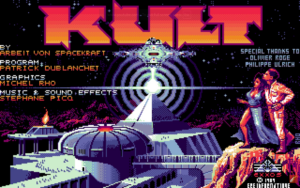
The title screen also had its own bizarre palette bug. It was reading a table at one offset in the KULT executable that turned out to be a brightness fade-lookup ramp, not actual RGB data — which is exactly why the whole title initially rendered in spooky shades of red! Pointing it at the title’s actual 16-colour palette brought the gorgeous artwork fully back to life.

 Before:

After:

Decoding the Sprites

The sprite banks were the trickiest reverse-engineering puzzle of the week. They share the EGA record layout, but with two fun twists:

  • The record size is stored big-endian.

  • The width/height byte pair is swapped.

The pixels themselves are word-planar — one big-endian word per four-pixel column. I added appendFromStreamAmiga() to decode them, a shared placeholder for any missing sprites, and successfully loaded the merged Amiga banks (SPRIT/PUZZL/A/B).

Scripts and Threads

Two subtler bugs came next:

  • The Padding Bug: The Amiga script blob inserts 0x00/0xAA padding for word alignment right in the middle of instructions. The engine didn’t expect this and was aborting scripts early (for instance, the Twins’ serpent-jaw redraw would just randomly stop). Instructing the engine to skip that padding fixed it instantly.

  • The Racing Thread: I also had to explicitly skip animateGauss on Amiga, because it runs on the timer thread and blitting from there directly races the main render thread.

The Ending and Final Polish

The endgame sequence needed several specific fixes to shine:

  • Saucer Animation: The vblank flush originally only pushed the chunky screen buffer for EGA, meaning the in-place saucer take-off animation never reached the Amiga screen. Now, it correctly flushes for any EGA-like renderer.

  • End Screen Noise: The engine was trying to decode the planar Amiga PRES.BIN with the CGA splash loader, turning the ending into a band of static noise. Loading it properly and restoring the title palette fixed the climax.

  • Infinite Loops: The non-US end path used to loop forever on an empty busy-loop, causing the host OS to report a frozen, “not responding” application. Now it cleanly pumps the event loop, holds the end screen until the player clicks or presses a key, and then returns gracefully to the launcher.

  • Portrait Pacing: Portrait animations were pacing off a busy-wait loop that collapses to nearly zero on fast modern CPUs, making them run at lightspeed. They are now properly paced by wall-clock time.

  • UI Borders: The rectangular UI boxes finally had their borders corrected and the right color as well.

Next Week

With the European Amiga version playing through cleanly, next week I’ll turn my full attention to the US variant. I’ll be checking exactly how its assets and text differ to bring it up to the exact same standard. The hardest groundwork is done; now it’s all about making the second variant just as rock-solid as the first!

These are some versions from before I find the right palette:

Categories
GSoC 2026

WEEK 4

Week 4: Phantom Pixels, a Lying Clock, and the Effects That Never Played

Welcome back! Last week ended on a high note: the endgame finally ended, and the Kult EGA port was playable start to finish. This week was all about the ultimate QA test: a full, end-to-end playthrough to hunt down the final remaining gremlins. Quick heads-up: I have more stories than usual to tell you this time! 🙂

And spoiler alert: we did it. The game is now incredibly stable and essentially bug-free! The final polish came down to fixing subtle rendering gremlins that survive a normal playthrough, and finally implementing the EGA visual effects the port had quietly left as empty stubs.

A theme ran through almost everything: EGA stores four bytes where CGA stored one, and a lot of inherited code never got the memo—either by doing CGA math in an EGA world, or by not doing the work at all. Here are the final stories that stood between the EGA port and perfection.

Story 1: The Garbage at the Top of the World

Some rooms—like Placating the Powers, where you face the High Priestess—have animated objects scattered around: flickering torches, glowing runes, things that breathe. And in those rooms, a band of garbage pixels kept getting stamped across the very top rows of the screen. Not flickering. Not reverting. Just… smeared there, like the engine wiped its hands on the ceiling.

The mechanism behind animated spots is clever and frugal. Before the engine draws a moving object, it backs up the background underneath it so it can restore it cleanly next frame. Those backups live in a scratch buffer, and right after them—at a fixed +1500 byte offset—the engine loads the animation sprites themselves (lutin sprites).

scratch_mem1  ──► spot backups
scratch_mem2  ──► scratch_mem1 + 1500  ──► lutin sprites

That 1500-byte gap is the original CGA budget. And there’s the trap: in CGA, each backed-up pixel is packed 4-to-a-byte. In our EGA port, every pixel is stored as a full CLUT8 byte—four times the size. A backup that needed 1500 bytes on CGA needs up to 6000 on EGA.

So, the backups overran their 1500-byte fence and spilled straight into the lutin region. The next sprite load then clobbered the backup headers—and a corrupted header means a corrupted offset, with an X coordinate no longer aligned to 4. When the engine dutifully restored those backups, it pasted them at a bogus, top-of-screen position. The garbage band was the engine faithfully restoring backups it could no longer find.

The fix was to teach the memory layout about EGA’s appetite. I sized the gap for the EGA worst case, and grew the scratch buffer so neither a fat backup nor a fat sprite can overrun its neighbor:

C++

// Spot-backup gap: EGA worst case is 4x the CGA budget
gap = 6000;                 // was 1500
scratch_mem1 = gap + 12800; // gap + EGA lutin worst case

No more overrun, no more clobbered headers, no more graffiti on the ceiling.

Story 2: The Clock That Lied

Vorts and turkeys (yes, turkeys) are timed encounters. They’re supposed to wander into a room, hang around, and leave on a schedule. In my build, they were teleporting in and out at the wrong moments, blinking on for a frame, vanishing, and leaving little visual scars behind. The room felt haunted.

The encounter logic is a simple comparison: has enough time passed yet? It checks an encounter deadline (next_vorts_ticks, next_turkey_ticks) against the global timer (timer_ticks2). Straightforward—except the two numbers weren’t speaking the same dialect.

The deadlines are stored as plain numeric values (host endianness). The global timer is stored big-endian. Comparing them directly is like comparing 0x0100 against 1 and wondering why the alarm keeps going off early. The clock wasn’t broken—it was just lying about what time it was.

The fix is a one-sided byteswap so both operands are honest numbers before the comparison:

C++

if (next_vorts_ticks <= Swap16(script_word_vars.timer_ticks2)) { ... }

With both sides numeric, the vorts and turkeys finally keep their appointments instead of strobing through the walls.

Story 3: The Scan That Gave Up a Quarter of the Way

This one I caught live, mid-playthrough. The Zone Scan PSI power sweeps a horizontal line down the room to reveal hidden objects. The line is supposed to travel cheek to cheek across the whole play area.

In EGA, it covered exactly a quarter of the width and stopped dead.

You can probably guess the villain by now—it’s Story 1’s twin. Room coordinates in this engine are measured in 4-pixel blocks. The scan’s starting offset is computed by calcXY_p, which correctly scales the block coordinate by 4 for EGA’s one-byte-per-pixel buffer. But the width of the line being inverted and blitted was the raw block count, used directly as a byte count:

  • CGA: one byte = 4 pixels, so w bytes cover the full width.

  • EGA: one byte = 1 pixel, so w bytes cover… one quarter.

Same root cause as the backup overflow—a CGA-era width used unscaled in a 4x wider EGA world. The fix is to scale the width by 4 in EGA (and widen the loop counter, since w * 4 no longer fits in a byte):

C++

// Room coords are 4-pixel blocks; EGA is 1 byte/pixel
uint16 pw = (videoMode == kRenderEGA) ? (uint16)w * 4 : w;
for (px = 0; px < pw; px++)
    frontbuffer[offs + px] = ~frontbuffer[offs + px];

The scan now sweeps the full width, the way the designers intended—and the hidden flask reveals itself like it’s supposed to.

Story 4: The Ending That Almost Wasn’t

Fixing last week’s confrontation loop got me to the victory sequence—which had its own pile of problems. You win, the screen pans up to a flying saucer receding into the sky, and THE END drops in. Instead, my EGA build crashed with a divide-by-zero, and on the runs that somehow survived, the saucer shot off-screen and the logo was clipped or missing. One ending, five bugs:

  1. The crash: The end-logo frame descriptor was missing from the table, so the portrait builder read a frame width of zero and divided by it. Restoring pers_frames[9] (plus a defensive guard) killed the SIGFPE.

  2. The runaway saucer: Our recurring villain again—the saucer’s path X, read from SOUCO.BIN, was treated as a 4-pixel-byte column and multiplied by 4. In EGA it’s a raw pixel column. Dropping the *4 put it back on its flight path.

  3. The saucer that wouldn’t shrink: The EGA zoomImage and zoomInplaceXY functions were non-scaling stubs that ignored the target size and redrew at native size every frame. I wrote a real nearest-neighbour scaler so the saucer actually recedes properly.

  4. The clipped ‘D’: The scaler sampled with (srcW-1)/dstW, which drops the final source column—shearing the right stroke off the D in THE END. Switching to srcW/dstW makes a 1:1 draw the identity map.

  5. The rising red dot: The cutscene cleared its buffer with sizeof - 2, leaving the bottom-right two pixels uncleared. CGA never noticed; EGA’s scroll-reveal lifted them up the screen as a tiny red balloon riding the saucer. Clearing the whole buffer sent it home.

Now, the saucer rises, shrinks, and slips away; THE END lands cleanly; and nothing divides by zero on the way to the credits.

Story 5: The Effects That Never Played

The last piece of polish wasn’t a bug—it was a blank. Walk between rooms in CGA and the world animates: when you stride The Ring or the passages, the background spirals in over the old room before the new one appears; elsewhere there are lift wipes, a dot dissolve, and zoom-in reveals. In EGA, all of these were stubbed out—rooms just snapped. Functional, but lifeless, and not what the designers built.

So, I implemented the EGA renderer’s transition effects to match the original CGA:

  • The spiral reveal for The Ring and passages (finally wiring up a flag, skip_zone_transition, that had been sitting unused, which decides when the spiral should play).

  • The lift wipes (the room block slides up / down / left / right one line per step).

  • The dot dissolve.

  • The zoom-in reveals.

It’s the kind of work that’s invisible when it’s done right—and that’s exactly the point. Room changes in EGA now have the same texture and rhythm as the original, instead of cutting like a cheap slideshow.

What’s Next: Expanding the Scope

With these final quirks down, a clear pattern emerged: the deepest EGA bugs weren’t logic errors, they were unit mismatches and missing pieces. Fixing them was the final piece of the puzzle.

After applying these patches, I completed a full start-to-finish playthrough of the main EGA port without encountering a single glitch, crash, or graphical artifact. But Kult isn’t just one version. Now that this primary EGA build is rock-solid, my focus for next week shifts to full regression testing. I will be diving into the other EGA releases and the original CGA versions, playing through them to ensure my engine fixes didn’t break anything else, and making sure the entire Kult family runs perfectly in ScummVM.

Thanks for reading, and see you next week!